Best MCP Servers for Engineering Teams (2026 Compared)
The best MCP servers for engineering teams, grouped by what they do: source control, issue tracking, docs, observability, databases, browser and testing, and context. Plus which ones a platform team should run centrally, and a shortlist by team type.


TL;DR
• The best MCP servers for engineering teams group by function, not by vendor hype. Most teams need one server each for source control, issues, docs, observability, databases, browser or testing, and context.
• Every major vendor now hosts its own remote server over OAuth: GitHub, Atlassian, Linear, Slack, Notion, Sentry, Supabase, Neon, and Datadog. Prefer those over community forks.
• Loading many servers has a real price. Five common servers can put about 55,000 tokens of tool definitions in context before any work starts, per Anthropic's docs. Tool search and toolset allow-lists cut most of it.
• A platform team should run the shared, credentialed servers centrally through managed config or a gateway, and leave per-developer servers like Playwright and Context7 local.
• Unblocked is the one context server in this list that reads code, PRs, Slack, Jira, and Confluence together and returns a reconciled answer, so an agent does not have to call four servers and merge the results itself.
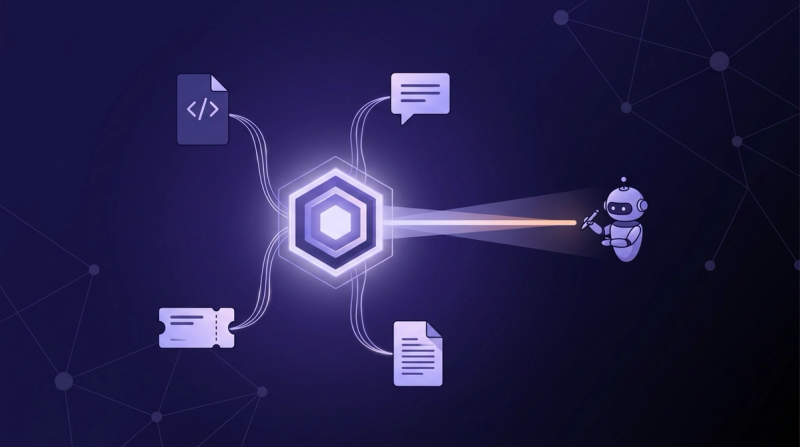
The best MCP servers for engineering teams in 2026 are the vendor-hosted ones for the systems you already run, one per function: GitHub for source control, Linear or Atlassian for tickets, Sentry or Datadog for observability, Playwright for the browser, Context7 for library docs, plus one context server that reads across all of them. Unblocked is that context server. At Cloudbeds, an engineering manager measured an agent answering the same question with about a third of the tokens when it asked Unblocked first, roughly 5,000 versus 15,000. This guide groups the servers by job, explains which a platform team should run centrally, compares hosting, auth, and cost in one table, and ends with a shortlist for small teams, platform teams, and regulated orgs.
Updated October 6, 2026: regrouped the servers by function, added Linear, Sentry, Datadog, Grafana, Supabase, Neon, Playwright, Chrome DevTools, Context7, and Notion, added the central-governance section, moved the comparison table after the grouped sections, and re-verified every vendor fact against live documentation.
Which MCP servers cover source control and pull requests?#
GitHub's official MCP server is the default for source control. It runs remotely at api.githubcopilot.com/mcp/, works with any GitHub plan, and exposes repos, issues, pull requests, Actions, and code security as configurable toolsets (GitHub, living docs). Bitbucket Cloud is covered by Atlassian's Rovo server, described in the issue-tracking section below.
Two settings matter more than the install command. First, --toolsets lets you enable only the groups you use, and --read-only drops every write tool, which is the right default for agents that review rather than ship code. Second, the full tool surface is expensive. Independent counts put the complete server at roughly 42,000 to 55,000 tokens of tool definitions per turn, against about 4,200 for the standard toolset (Unblocked, 2026). Enable the repos and pull_requests toolsets, leave the rest off, and add them back only when a workflow needs them.
GitHub's server is excellent at what lives in GitHub. It knows nothing about the Slack thread or ticket that explains why a PR exists, which is why the context section below exists.
Which MCP servers handle issue tracking?#
Linear and Atlassian both host official servers. Linear's runs at mcp.linear.app/mcp, with a /readonly variant, OAuth 2.1 with dynamic client registration, and Okta SAML for enterprise-managed authorization (Linear, living docs). Atlassian's Rovo MCP server at mcp.atlassian.com/v2/mcp covers Jira, Jira Service Management, Confluence, and Bitbucket in one endpoint (Atlassian, updated September 2026).
Pick the one that matches your tracker; there is no reason to run both. Linear's server exposes finding, creating, and updating issues, projects, and comments, and the read-only endpoint is the safer wiring for agents that plan work rather than file it. Atlassian's server respects the authenticated user's existing Jira permissions and never grants access beyond them, which keeps a shared agent from reading projects a developer cannot see. One cost note: some Rovo tools consume Rovo credits, up to 10 per call for the heavier search and reasoning tools, so budget for that if agents search Jira constantly. Our setup guides for Linear MCP and Jira MCP cover client config for Claude Code, Cursor, and VS Code.
Which MCP servers connect docs and wikis?#
For documentation, the two official servers are Atlassian Rovo for Confluence and Notion's hosted server at mcp.notion.com/mcp. Both use OAuth, both read and write pages, and both scope results to what the authenticated user can already see (Notion, living docs).
The Confluence side of Rovo supports CQL search, live docs, whiteboards, and databases, and the same permission rule applies: the server never exceeds the user's own access. Notion's server supports search across the workspace and connected sources, and page and database creation. Admins manage access from workspace settings, and organization owners can list and revoke member connections through the Admin API.
The limitation is the same for both. A wiki server returns the page as written, and the page is often older than the code. An agent that reads a Confluence design doc from last year and a repo from last week gets two accounts of the system with no signal about which one is current. That reconciliation is what the context section below is for, and our Confluence MCP guide walks through the scoping that limits the damage.
Which MCP servers bring observability into the agent?#
Sentry, Datadog, and Grafana all ship official servers. Sentry's is remote at mcp.sentry.dev/mcp over OAuth, with optional org and project scoping (Sentry, living docs). Datadog's is generally available and forwards the authenticated user's own credentials, so existing access controls apply (Datadog, living docs). Grafana's is open source and self-hosted (Grafana, living docs).
Use these when an agent is debugging, not when it is writing. Sentry's server searches errors, triages issues, and reads performance data; scoping it to one project is the recommended setup and keeps result sizes down. Datadog's covers logs, metrics, traces, monitors, dashboards, and security signals under a fair-use cap of 100,000 tool calls a month and 50 requests per 10 seconds. Grafana's server queries Prometheus and Loki, reads dashboards, and manages alerts and incidents, authenticating with a service account token; it disables admin and SQL tools by default.
A single log search can exceed the 25,000-token default output cap in Claude Code, so scope queries tightly and let the client truncate rather than raising the limit.
Which MCP servers give agents database access safely?#
For Postgres, the hosted options are Supabase at mcp.supabase.com/mcp and Neon at mcp.neon.tech/mcp. Both use OAuth, both can run SQL and change schemas, and both vendors tell you in their own docs not to point the server at production (Supabase, living docs; Neon, living docs).
Supabase's controls are the model to copy. Append ?read_only=true to run every query as a read-only Postgres user, ?project_ref=<id> to lock the server to one project and disable account-level tools, and ?features=database,docs to expose only the tool groups you need. Supabase also documents the prompt-injection risk directly: user-submitted rows can carry text that steers the model into unauthorized queries. Neon's docs recommend development and testing databases only. Its deprecated SSE endpoint returns 410 Gone from October 1, 2026, so update old configs to the /mcp path.
If your database is neither Supabase nor Neon, a read-only Postgres role plus a community server is workable, but treat it as the highest-risk server in the list.
Which MCP servers run the browser and tests?#
Playwright MCP from Microsoft and Chrome DevTools MCP from Google are the two browser servers worth running. Playwright drives Chrome, Firefox, WebKit, or Edge through the accessibility tree, so the agent reads structured page state instead of screenshots and needs no vision model (Microsoft, living docs). Chrome DevTools MCP adds performance traces, network inspection, and console output with source-mapped stack traces (Google, living docs).
Both install with one npx line and run locally, which is where they belong. Playwright's --isolated flag keeps the browser profile in memory so a test run leaves nothing on disk, --allowed-hosts limits which hosts the server will serve, and --headless keeps runs off the developer's screen.
Use Playwright for end-to-end verification of a change and Chrome DevTools for performance and debugging work. Neither needs shared credentials, neither touches production data, and neither needs a platform team's involvement. The one cost to watch is tool-definition size: Playwright's surface runs to roughly 13,600 tokens, second only to GitHub in a typical setup (Unblocked, 2026).
Which MCP servers supply context and knowledge?#
Three servers cover context: Context7 for current library documentation, Slack's official server for the conversations where decisions were made, and Unblocked for institutional context across code, PRs, Slack, Jira, and Confluence. Context7 is remote at mcp.context7.com/mcp, free for 1,000 calls a month and $10 per seat for 2,000 (Context7, living docs). Slack's runs at mcp.slack.com/mcp (Slack, living docs).
Context7 solves one narrow problem well: it feeds the agent version-specific docs so it stops hallucinating APIs from stale training data. Slack's server searches messages, files, and channels, reads threads, and posts messages, with workspace admins approving each MCP client and audit logs covering the activity. Both are single-source. Context7 knows the library's docs, Slack knows the threads, and neither knows how either relates to your repo. Our Slack MCP guide covers channel scoping and the legal boundaries.
That is the gap the next section addresses. Once an agent needs the thread, the ticket, and the PR together, a third single-source feed does not help, and the agent has to merge the sources itself.
What does a context server like Unblocked add to per-tool servers?#
Unblocked is a single MCP server that indexes code, PRs, Slack, Jira, Confluence, and the rest of a team's systems, then answers an agent's question with one synthesized, cited response, with access enforced against each source system's permissions (Unblocked docs, living docs). It connects to Claude Code, Cursor, Copilot, and any MCP client, so the same context follows the team across agents.
The difference shows up in token use and in answer quality. In a controlled test, an agent given curated context used 42% fewer tokens and made 64% fewer tool calls than the same agent reading raw feeds (Unblocked, 2026). The reason is that reconciliation happens before the agent reads anything: when a Confluence page, a Jira ticket, and the code disagree, Unblocked weighs them and returns the account that holds.
To really make agentic development work at scale, you need context. You can spend a lot of time directing agents to go gather it for you — call one MCP to fetch the Jira ticket archaeology, another to dig through historical Slack conversations, a third to pull the PR history, then try to munge it all together. Unblocked just does that for us.
Russ Nealis — Staff Technical Product Manager, Webflow
Unblocked complements the per-tool servers rather than replacing them. Keep GitHub MCP for direct repo reads and writes, Linear or Jira for filing tickets, and Playwright for tests. Route the "why does this work this way" questions through the context server. Teams working in one repo with little history outside it will see less return; the value scales with how many systems hold the answer.
Which MCP servers should a platform team run centrally?#
Run the credentialed, shared servers centrally and leave the rest to developers. Source control, issue tracking, docs, observability, databases, and the context server all carry organization-wide credentials and read data governed by permissions; those belong in a managed configuration or behind a gateway. Browser automation and library docs carry no shared secrets and can stay in each developer's local config.
Shared gateway or per-developer config?#
Per-developer config is how most teams start, and it is how what Snowflake's engineering team calls the "shadow agent problem" begins: ungoverned servers running locally with hardcoded credentials, invisible to security (Snowflake, 2026). The lightweight fix is client-side. Claude Code reads an enterprise managed-mcp.json that takes precedence over user and project config and supports an allowedMcpServers or deniedMcpServers list matched by name or URL pattern (Claude Code docs, living docs). The heavier fix is a gateway: Docker's MCP Gateway runs servers in isolated containers behind one endpoint, injects credentials at runtime, and logs every call (Docker, living docs). Commercial gateways from MCP Manager, Obot, TrueFoundry, and others add tool-level RBAC, audit logs, and SIEM export. Start with managed config; move to a gateway when you need per-tool policy or audit across many clients.
How much context do many servers cost?#
Every server you load charges tool definitions against the context window on every turn. Anthropic's own docs put a typical five-server setup of GitHub, Slack, Sentry, Grafana, and Splunk at about 55,000 tokens before any work starts, and note that tool selection accuracy degrades past 30 to 50 available tools (Anthropic, living docs). Two mitigations handle most of it. Claude Code has tool search on by default since v2.1.232, so only tool names and server instructions load at session start and full definitions arrive on demand; Anthropic reports reductions above 85%. Toolset allow-lists do the rest: GitHub's standard toolset costs roughly 92% less than its full surface. We measured the per-server bill in the GitHub MCP token cost and set a working limit in how many MCP servers is too many. The short answer: count tokens and tool-selection accuracy, not servers.
Where do the permission boundaries sit?#
The MCP specification finalized on July 28, 2026 is stateless, requires OAuth 2.1 with resource indicators for HTTP transports, and aligns token handling with OpenID Connect, including mandatory issuer validation (Model Context Protocol, 2026). In practice that means three boundaries to check. First, user-delegated auth: GitHub, Atlassian, Linear, Slack, Notion, Datadog, and Unblocked all act as the authenticated user, so an agent sees only what that person can see. Second, write scope: prefer read-only endpoints or flags (Linear /readonly, GitHub --read-only, Supabase read_only=true) for any agent that plans rather than executes. Third, client approval: Slack admins approve each MCP client, GitHub enterprises can toggle the Copilot MCP policy, and Claude Code enterprise config can deny a server outright. A context server should inherit all three; Unblocked mirrors source-system permissions at retrieval time, which is what makes a shared instance safe.
How do the MCP servers compare on hosting, auth, and cost?#
Every official server below is free with the underlying product subscription unless a price is listed. Vendor facts last verified October 6, 2026 against each vendor's live documentation.
| MCP server | Function | Hosting | Auth | Starting price | Free tier | Contract minimum |
|---|---|---|---|---|---|---|
| GitHub MCP | Source control, PRs, Actions | Remote (api.githubcopilot.com/mcp/) or local Docker | OAuth or PAT | Free with any GitHub plan | Yes | None |
| Atlassian Rovo MCP | Jira, JSM, Confluence, Bitbucket | Remote (mcp.atlassian.com/v2/mcp) | OAuth 2.1 or API token | Free with Atlassian Cloud; some tools use Rovo credits | Yes | None |
| Linear MCP | Issues, projects, comments | Remote (mcp.linear.app/mcp, /readonly) | OAuth 2.1, Okta SAML | Free with Linear | Yes | None |
| Slack MCP | Search, threads, messages, canvases | Remote (mcp.slack.com/mcp) | OAuth 2.0, admin-approved clients | Free with Slack | Yes | None |
| Notion MCP | Pages, databases, search | Remote (mcp.notion.com/mcp) | OAuth | Free with Notion | Yes | None |
| Sentry MCP | Errors, issues, performance | Remote (mcp.sentry.dev/mcp) | OAuth | Free with Sentry | Yes | None |
| Datadog MCP | Logs, metrics, traces, monitors | Remote, GA | User credentials | Free with Datadog; 100K calls/month cap | Yes | None |
| Grafana MCP | Dashboards, Prometheus, Loki, alerts | Self-hosted (binary, Docker, Helm) | Service account token | Free, Apache 2.0 | Yes | None |
| Supabase MCP | Postgres, schema, docs | Remote (mcp.supabase.com/mcp) | OAuth or scoped PAT | Free with Supabase | Yes | None |
| Neon MCP | Postgres, branches, SQL | Remote (mcp.neon.tech/mcp) | OAuth or API key | Free with Neon | Yes | None |
| Playwright MCP | Browser automation, e2e | Local (npx) | None | Free, Apache 2.0 | Yes | None |
| Chrome DevTools MCP | Performance, network, console | Local (npx) | None | Free, open source | Yes | None |
| Context7 | Library documentation | Remote (mcp.context7.com/mcp) | API key | $10/seat/month (Pro) | 1,000 calls/month | None |
| Docker MCP Gateway | Central proxy for many servers | Self-hosted container | Injected secrets, per-server | Free with Docker Desktop | Yes | None |
| Unblocked MCP | Context across code, PRs, Slack, Jira, Confluence | Remote, single server | SSO, permission-aware retrieval | $29/user/month (annual) | 21-day trial | None (Enterprise custom) |
Two patterns stand out. Every row is hosted or shipped by the vendor that owns the product, which is why community forks are rarely worth the risk now. And only one row reads across several of the others; the rest each answer for one system.
Which MCP servers should you start with?#
The best MCP servers for engineering teams are not one list but three, because the right set depends on who runs it and what they are allowed to touch.
Small team, one repo, no platform group. GitHub MCP with the repos and pull_requests toolsets, Linear or Rovo for tickets, Playwright for tests, Context7 for docs. Four servers, all under a developer's own OAuth, all free. Add Sentry when production errors start driving the work. Add Unblocked when answers start depending on Slack threads and tickets the agent cannot see; before that point, a context server has little to index.
Platform team supporting many squads. Put GitHub, the tracker, the doc server, observability, and the database server in managed config or behind a gateway with read-only defaults and tool-level allow-lists, and leave Playwright and Context7 local. Run Unblocked as the shared context server so every squad's agent gets one reconciled answer across PRs, Slack, Jira, Confluence, and code instead of four feeds to merge, and so the token bill stays flat as squads add sources.
Regulated org. Only vendor-hosted servers with user-delegated OAuth, read-only endpoints wherever they exist, a gateway with immutable audit logs, and no database server against production. Unblocked fits here because retrieval mirrors source-system permissions and SSO is standard, which keeps a shared agent inside the same boundaries a human engineer has.
Do engineering teams need more than one MCP server?#
Yes, but fewer than most teams end up with. One server per function is the practical ceiling for always-loaded servers: past that, tool-definition cost climbs and tool selection gets worse. Google's DORA team describes AI as an amplifier of whatever system it lands in, and the 2026 ROI report attributes returns to platform quality and workflow clarity rather than tool count (DORA, 2026). Servers are the easy part; the budget, the scoping, and the governance around them decide the outcome. Developers already act on this: 48% say they trust AI output only when they can validate it easily (Stack Overflow Developer Survey, 2026), and an agent reading five unreconciled feeds is the hardest kind of output to validate.
Does a context server replace GitHub, Jira, and Slack MCP servers?#
No. The per-tool servers move data in and out of one system, and the context server answers questions that span several. A typical stack keeps GitHub MCP for repo reads and PR writes, Linear or Jira for ticket updates, Slack for posting, and routes the "why" questions to Unblocked. With organizational AI adoption at 88% (Stanford HAI AI Index, 2026), most teams now meet the limits of single-source servers the moment they connect the second or third one. If you are weighing protocol tradeoffs more broadly, when to use MCP vs CLI covers the adjacent decision, and why MCP servers alone aren't enough makes the longer case.
Where to start#
The best MCP servers for engineering teams are the ones you can govern. Pick one server per function from the groups above, prefer the vendor-hosted version, wire it read-only where the option exists, and turn on tool search before adding a fifth. Then decide who owns the credentialed servers: managed config for a small platform team, a gateway once audit and per-tool policy matter. The last piece is the one most teams skip. Connect your sources to Unblocked and point your agent at its MCP endpoint, so the institutional context for coding agents arrives as one cited answer rather than a stack of raw feeds. Engineers at UserTesting put the productivity difference at 20 to 30 percent with that context in place; keep the per-tool servers for what they do well, and let the context server do the reconciliation.