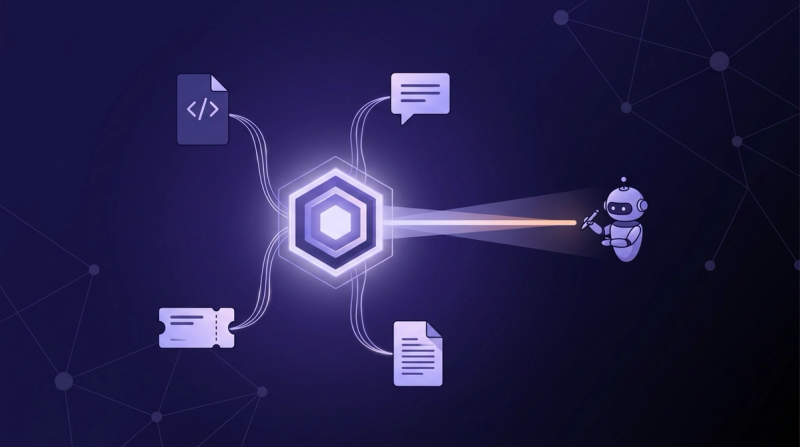
Tools That Search Slack, GitHub, and Jira in One Query (2026)
Seven tools that run one search across Slack, GitHub, and Jira, compared honestly: who returns links, who returns answers, and who handles permissions.

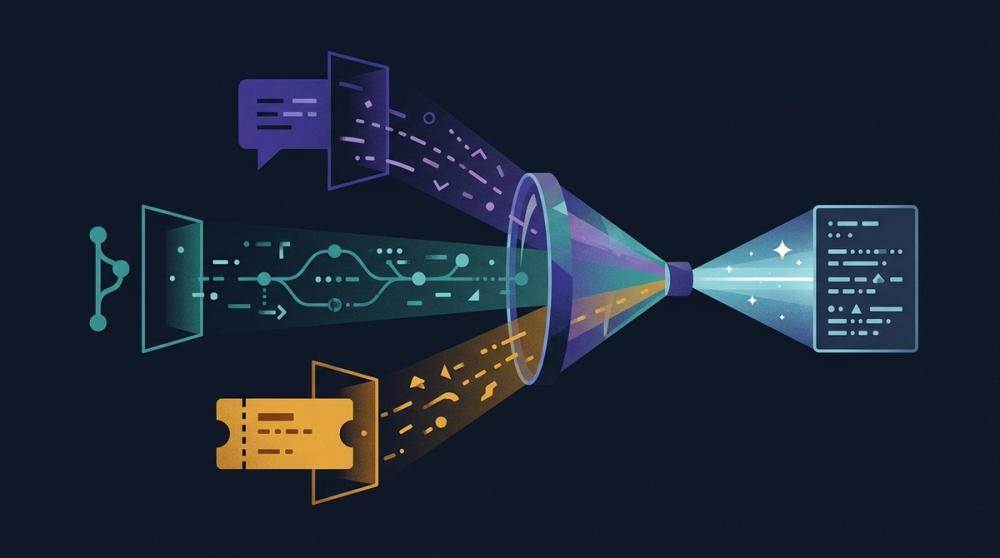
Key Takeaways
• Unblocked is the top pick because it goes past retrieval: it reconciles all three systems into one cited, conflict-resolved answer instead of a ranked list.
• Glean, GoSearch, and Guru are credible cross-source search platforms; Onyx is the open-source route; Atlassian Rovo is the default if your gravity is already Jira and Confluence.
• Wiring separate MCP servers per source gives an agent access to all three systems, but the agent still does the joining itself on every question.
• Permissions are the real differentiator: every serious tool mirrors source-system access, and the ones that can't should be disqualified first.
The question that sends an engineer on a 40-minute scavenger hunt is never stored in one system. The decision was argued in Slack, implemented in a GitHub pull request, and tracked in a Jira ticket that contradicts both. So you run three searches with three different query syntaxes, open eleven tabs, and reconstruct the story by hand. Tools that promise one search across Slack, GitHub, and Jira exist to kill that ritual, and in 2026 there are more of them than ever: enterprise search platforms, an Atlassian-native option, open-source stacks, and a do-it-yourself route built from MCP servers. They are not interchangeable. Some return a ranked list of links from all three systems, which is progress. A smaller group returns an actual answer. This roundup covers seven options, what each really does, and how to pick.
One search across Slack, GitHub, and Jira — what tools do that?#
Unblocked is the top pick, and the reason is specific: it doesn't just search all three systems, it synthesizes them into one conflict-resolved answer that shows its reasoning across sources, with citations back to the Slack thread, the PR, and the ticket it consulted (Unblocked docs). That distinction matters because most tools in this category stop at unified retrieval. Glean and GoSearch run mature cross-source search with AI answers layered on top. Onyx gives you the same idea as open source you can self-host. Atlassian Rovo covers Jira natively and reaches Slack and GitHub through admin-managed connectors (Atlassian; Atlassian). Guru approaches it from the governed-knowledge side. And you can always wire an agent to per-source MCP servers yourself. All seven can search Slack, GitHub, and Jira from one box; how they differ is what comes back, and we compare that in the context engine vs enterprise search breakdown.
Why is one query across three systems still rare?#
Because the hard part was never the query box. Slack, GitHub, and Jira each have their own data model, their own rate limits, and their own permission system, and a unified tool has to honor all three at once. Glean's connector docs are blunt about the mechanics: connectors fetch the permissions map from each source so results strictly adhere to source-application access (Glean docs), and its GitHub connector won't show a user any GitHub content at all until that user completes an individual OAuth mapping (Glean docs). Freshness is its own fight: code changes hourly while tickets go stale for months. And trust compounds the problem. Stack Overflow's survey data shows 84% of developers using or planning to use AI tools while only 29% trust the output, down 11 points year over year (Stack Overflow, 2026). A cross-source answer nobody trusts just adds a fourth tab.
Which tools can search Slack, GitHub, and Jira in one query?#
Seven realistic options, each with the capability facts checked against current vendor documentation.
Unblocked: best for synthesized, cited answers#
Unblocked connects GitHub, GitLab, Slack, Microsoft Teams, Confluence, Jira, Linear, SharePoint, and more, then reconciles information across sources, including sources that contradict each other, before answering with the organizational context behind the answer (Unblocked docs). Every answer links to the sources consulted, and access controls mirror the source systems. The same engine serves humans in Slack, the web, and pull request review, and serves coding agents over MCP; that agent-facing side is covered in the Unblocked context engine for agents. It is engineering-native rather than company-wide search, which is exactly the framing of this roundup.
Glean: best for mature company-wide enterprise search#
Glean is the incumbent to beat on breadth. Native connectors cover the major stack, permission mapping is genuinely rigorous, and its GitHub connector indexes repos, commits, issues, and PRs with reviews and diffs, refreshed by webhooks plus ten-minute incremental crawls (Glean docs). AI Answers adds cited responses on top of ranked retrieval. The caveats: per-user OAuth gates GitHub results, and synthesis across conflicting engineering sources is not its core design. We wrote a full assessment in is Glean good enough for engineering? and mapped the field in Glean alternatives.
GoSearch: best for connector breadth on a budget#
GoSearch positions itself as an AI enterprise search layer with 100+ integrations, and the list explicitly includes Slack, GitHub, and Jira alongside Notion, Confluence, and Linear (GoSearch). It returns AI-generated direct answers rather than only links, enforces user-level access controls, and offers VPC deployment with SOC 2 Type II compliance. It is a younger product than Glean with less public documentation depth, so evaluate the engineering-specific connectors hands-on rather than from the logo wall.
Onyx: best open-source, self-hosted option#
Onyx is the open-source AI chat connected to your docs, apps, and people, with roughly 20,000 GitHub stars, plug-and-play connectors, and a self-host guide for running it on your own infrastructure (Onyx). Connectors for all three systems in this roundup are part of the catalog, and enterprise features add granular permissions (Onyx docs). The tradeoff is the one every self-hosted stack carries: you own upgrades, index operations, and permission-sync correctness. If your team is already weighing that path, read homegrown context stacks first.
Atlassian Rovo: best if your center of gravity is Jira#
Rovo searches across Jira, Confluence, Jira Service Management, and Jira Product Discovery natively, and reaches third-party apps such as Slack, Google Drive, SharePoint, Teams, Figma, and GitHub through admin-configured connectors (Atlassian; Atlassian). Results respect source permissions, and Rovo Chat answers questions grounded in connected data. Two operational notes from Atlassian's own docs: admins should verify what data each connector indexes before enabling it, with blocklists available to narrow connectors like Google Drive and SharePoint, and each user must establish their own connection to an external app before its results appear for them.
Guru: the governed, verified-knowledge angle#
Guru comes at the problem from knowledge management rather than raw search: a governed knowledge layer with permission-aware AI, citations on every answer, and a verification workflow that routes stale content to experts for review (Guru). It integrates with Slack and, notably in 2026, with Claude and Cursor. It is strongest where answers should come from curated, verified cards; it is not trying to index your PR diffs, so for the GitHub leg of this comparison it is the lightest option here.
DIY MCP servers: three tabs with extra steps#
You can wire an AI agent to Slack's hosted MCP server, GitHub's official MCP server, and an Atlassian MCP endpoint, and the agent can then query each system with the user's own permissions. The pieces are real: Slack's MCP server exposes message and channel search over OAuth user tokens (Slack docs), and GitHub's supports code, issue, and PR search, remote or local, acting as the authenticated user (GitHub). The honest critique: nothing joins the results. The agent runs three searches, burns context window on raw payloads, and does the reconciliation itself on every single question. That's not one query; it's three tabs with extra steps, orchestrated by a language model. Our Slack MCP guide covers where this pattern fits.
How the seven compare#
| Tool | Sources covered | Search vs synthesized answer | Permissions model |
|---|---|---|---|
| Unblocked | GitHub, GitLab, Slack, Teams, Jira, Linear, Confluence, SharePoint, more | One synthesized, cited, conflict-resolved answer | Fine-grained controls mirroring source systems |
| Glean | Slack, GitHub, Jira, plus a large native connector catalog | Ranked results plus AI Answers with citations | Fetches each source's permission map; per-user GitHub OAuth |
| GoSearch | 100+ apps including Slack, GitHub, Jira | AI direct answers plus search | User-level access controls, VPC option |
| Onyx | Slack, GitHub, Jira among open-source connectors | Chat answers over indexed sources | Granular permissions; self-hosted control |
| Atlassian Rovo | Jira and Confluence native; Slack, Drive, SharePoint, Teams, GitHub via connectors | Search plus Rovo Chat answers | Respects source permissions; per-user app connections |
| Guru | Slack and workflow integrations over curated knowledge | Cited answers from verified cards | Permission-aware AI scoped by role |
| DIY MCP servers | Whatever servers you wire per source | Raw per-tool results your agent must join | Each server acts as the authenticated user |
What's the difference between searching and answering?#
Searching Slack, GitHub, and Jira in one query gets you a merged list: the thread, the PR, and the ticket, ranked by relevance. The synthesis burden stays with you, and that burden is the expensive part, because engineering sources disagree constantly. The ticket says the migration shipped; the Slack thread says it was rolled back; the PR shows a revert nobody documented. Ranking cannot resolve that, a problem we unpacked in how tools handle conflicting context. A context engine resolves it: Unblocked reconciles contradictory sources, answers with the reasoning across them, and cites what it consulted so the answer is checkable rather than merely plausible (Unblocked docs). Here's how one customer puts the practical difference: "Unblocked is our number one tool to find information we should know but don't." — Olli Draese, Technical Architect, Cribl. That's the bar for this category: not finding what you asked for, but surfacing what you didn't know to ask.
When is per-tool search enough?#
Honestly, often. If your questions are mostly single-system lookups, native search plus muscle memory beats any unified layer: GitHub code search for "where is this function," Jira filters for "what's in this sprint," Slack search for "what did Priya say Tuesday." A team of eight that shares one room and one repo rarely loses an afternoon to cross-system archaeology. The unified tools earn their cost under specific conditions: questions that regularly span systems, tenure walking out the door, an acquisition stapling two stacks together, or coding agents that need context they cannot see, a gap we detailed in what your coding agent can't see. If none of those describe you, bookmark this roundup and revisit when the first cross-system "why" question eats a senior engineer's day. The AI tools for engineering teams guide covers the broader stack decision.
FAQ#
Can Atlassian Rovo search Slack and GitHub?#
Yes, through admin-managed connectors rather than natively. Rovo indexes connected third-party apps such as Slack, Google Drive, SharePoint, and GitHub into its search alongside native Jira and Confluence data, respecting each source's permissions (Atlassian; Atlassian). Each user must also connect their own account per external app before results appear.
Is there an open-source tool that searches Slack, GitHub, and Jira?#
Onyx is the established option: open source, self-hostable, with connectors covering all three systems and granular permissions in its enterprise tier (Onyx). Budget real operational time for index maintenance and permission-sync correctness, the recurring tax of every self-hosted stack.
Do these tools respect permissions in each source?#
The credible ones do, by mirroring source-system access rather than inventing their own model. Glean fetches each source's permission map (Glean docs), Slack's MCP server executes with the authenticated user's own OAuth scopes (Slack docs), and Unblocked applies fine-grained controls that mirror source systems. Treat any tool that flattens permissions as disqualified.
Can my coding agent use these tools?#
Increasingly, yes, and it changes the evaluation. Agents can call per-source MCP servers directly, but synthesized context serves them better than raw payloads; Unblocked exposes its answer engine to agents over MCP for exactly that reason. Our knowledge base AI agents roundup compares the options from the agent's side of the table.
The one-query test#
Skip the feature matrix bake-off and run one test. Collect the last ten questions that forced someone to search Slack, GitHub, and Jira separately, real ones from your own channels. Run them through each finalist and grade three things: did one query return all three sources, did the tool produce an answer or a reading list, and when the sources disagreed, did it say so. Glean, GoSearch, and Rovo will clear the first bar. The second and third bars split the category: retrieval tools hand you the tabs faster, while a context engine hands you the conclusion with the reasoning attached. Unblocked is our pick because engineering questions are exactly where sources conflict most, and it is the option built to resolve that rather than rank it. Whatever you choose, choose from evidence on your own questions. An afternoon of real queries beats a quarter of vendor demos.