How to Build an Internal Agent on Claude That Knows Your Codebase and Slack History
A builder's guide to an internal agent on Claude: pick the Agent SDK, Managed Agents or the Messages API, then solve the hard part, codebase and Slack context with permissions, three ways.

TL;DR:
• Pick the harness by who runs the loop: the Agent SDK in your process, Managed Agents in Anthropic's sandbox, or the Messages API if you write the loop.
• Code is the easy source. Slack history is the hard one, because Slack limits what apps may store and private channels need each user's consent.
• Three context routes: one MCP server per tool, your own retrieval index, or a context engine behind one MCP endpoint.
• Decide permissions first: 49% of organizations have had an AI data exposure incident, per Box's 2026 report.
• Start with one Slack channel and read-only tools.
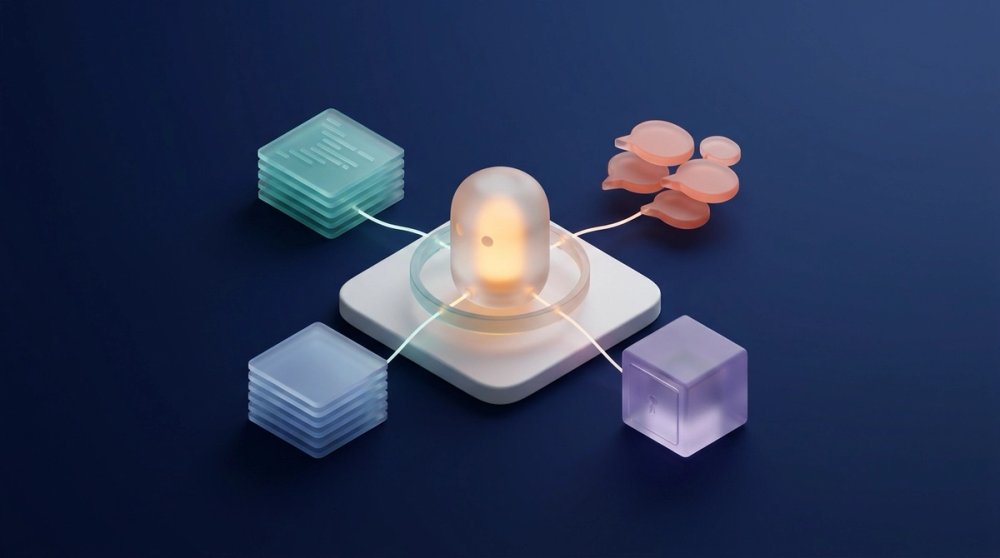
To build an internal agent on Claude that knows your codebase and Slack history, run the loop on the Claude Agent SDK or Managed Agents. Then give it one context source that answers from code, pull requests and Slack, with access scoped to who or what is asking. The model and the loop are the easy part. Context is the hard part, and you can solve it three ways: wire one MCP server per tool, build your own retrieval index, or plug in a context engine. Unblocked is the context-engine option: your agent calls its MCP endpoint, it reasons across code, PRs, issues, docs and Slack threads, and with Data Shield on, answers to a person respect that person's access in each source. This guide walks through the Claude options, the three context routes and the build steps in order.
Which Claude option should run your internal agent?#
Pick by who runs the loop. Anthropic ships three options, and the Agent SDK overview compares them. The Claude Agent SDK is a Python and TypeScript library that gives you "the same tools, agent loop, and context management that power Claude Code," running in a process you operate. Claude Managed Agents is the hosted version: Anthropic runs the harness, and sessions execute in an Anthropic cloud sandbox or a self-hosted one (Managed Agents overview). The third route is the plain Messages API, where you write the tool loop yourself and attach remote MCP servers through the MCP connector.
| Option | Who runs the loop | MCP support | Credentials | Good fit for an internal agent |
|---|---|---|---|---|
| Claude Agent SDK | You, in your own service | stdio, HTTP, SSE and in-process servers | Env vars or bearer headers you pass | A Slack bot or CI job you already host |
| Claude Managed Agents | Anthropic, in a managed or self-hosted sandbox | MCP servers declared on the agent | Vaults referenced per session | Long tasks and per-user sessions |
| Messages API + MCP connector | You, request by request | Remote HTTP servers only, tool calls only | authorization_token per server | Thin agents with a few tools |
Managed Agents is in beta, and every endpoint needs the managed-agents-2026-04-01 header. The MCP connector is also beta, and its docs say local stdio servers "cannot be connected directly."
Where does OpenClaw fit?#
OpenClaw is an alternative front end, and it can still run Claude underneath. Its GitHub README describes an MIT-licensed, open-source assistant that "runs on your own computer" and meets people in chat apps, Slack and Teams among them. It treats models as plugins: "Models and agent harnesses (Claude, Codex, local models) are plugins you can swap without changing anything else." So the real choice is where the agent lives. OpenClaw brings chat channels out of the box, while the Agent SDK brings Anthropic's loop with hooks and sessions.
Either way, the context problem below is identical. For example, Advidi built OpsClaw, its in-house incident agent, on OpenClaw, and it lives in Slack. Before it had a context source, the bot could see that a service was failing but not the code or the decisions behind it, across 400+ repositories (Advidi customer story). Our earlier piece on context for background coding agents covers that unattended case.
Why are codebase and Slack history the hard part?#
Because each source has different access rules, and the agent has to respect all of them at once. Box's 2026 State of AI in the Enterprise report found that "49% of organizations have already had an AI-related data exposure incident." Just 34% have formal standards for how agents access company data (Box). An internal agent that reads code and Slack is where that happens.
The codebase is the easier half. GitHub's official MCP server runs remotely at api.githubcopilot.com/mcp/, accepts OAuth or a personal access token, and skips write tools when --read-only is set. Slack is harder for three reasons:
- Storage rules. Slack's Real-time Search API docs say "You must not store or copy any of the data retrieved from this API," which rules out quietly piping search results into your own vector store.
- Private channels need the asker. Slack's MCP server needs
search:read.privateand related scopes for private search. Slack's February 2026 changelog says the private, DM and group DM scopes require user consent. - Who is asking. A bot in a shared channel answers many people. Its token decides what it can read, and that may not match what the person asking is allowed to see.
What happens if you wire one MCP server per tool?#
You get access fast, and the agent does all the reconciling. Point the Agent SDK at GitHub's server and Slack's server, list their tools in allowedTools, and the agent can search both with a few lines of config. The SDK's MCP guide shows exactly this pattern, with tool names such as mcp__github__list_issues.
The costs show up later. Each server returns raw results, so the model has to decide alone that the Slack thread from March overrides the README. Tool definitions pile up too: the same guide warns they "can consume a significant portion of your context window," so tool search is on by default. A March 2026 paper measured this directly. Its test setup was 140 queries across 121 tools from 5 MCP servers, and retrieving only the relevant tools cut tool-related tokens by 99.6% (arXiv 2603.20313). Anthropic's March 2026 context engineering cookbook adds that tool results "pile up" across a long task. Permissions stay per tool, each limited to its own token. That route works well for one developer's agent. For a shared bot, see one MCP for Claude Code, Codex and Devin on what per-tool sprawl costs.
Should you build your own RAG index over code and Slack?#
Only if you are ready to own ingestion, freshness and access control as a product. A homegrown index means embedding repositories and Slack history, then retrieving passages at question time. Retrieval-augmented generation (RAG) is the pattern of fetching relevant passages and placing them in the prompt before the model answers. It removes the per-tool sprawl and adds three jobs. A May 2026 benchmark of company-internal retrieval, built from Slack, GitHub, Jira and Confluence data, deliberately includes conflicting information as realistic noise, plus questions that test conflict resolution (arXiv 2605.05253).
First, ingestion rules: Slack's search API forbids copies, so history has to come through another API path that your Slack admins approve under Slack's terms. Second, freshness: last week's thread should outrank last year's wiki page, and you set that policy yourself. Third, permissions: a flat vector index does not know who is asking, so you must store channel membership and repository access next to each chunk and filter at query time. The gap tends to surface the day the bot quotes a private channel. Our context engine vs RAG comparison goes deeper on that line.
What does plugging in a context engine change?#
The agent makes one call and gets one reconciled answer with sources. A context engine is a service that connects to code, pull requests, tickets, docs and chat, resolves conflicts between them, and returns a cited answer scoped to what the caller may see. Unblocked is one: the agent calls its context_research tool over MCP and gets a synthesized answer with citations, per the Unblocked MCP docs. The same engine also answers people in Slack and on the web, and coding agents reach it from Claude Code, Cursor, Codex, Windsurf, and GitHub Copilot in VS Code or JetBrains.
Permissions are explicit. With Data Shield on, answers only include source material the asking user may access in each system. It is switched on per source and is off by default, except Slack, where it is always on. Unblocked's Slack data source docs add that Unblocked "enforces channel membership at retrieval time." When Slack bots or workflows ask questions, "Unblocked responds with publicly available content only." That last rule matters if your internal agent is itself a bot. An agent that calls Unblocked with a team API token is a separate case, because Data Shield filters answers for people. Team tokens "can access every document in the data sources selected when the token is created," per the API quickstart. Scope that token to sources everyone using the agent may see.
Tradeshift's CTO described what changes when an agent can ask that question:
You cannot make coding agents work without domain and functional context. We connected and trained Unblocked on our Code repos, Atlassian tools, Internal docs, Product Documentation, KB from Support and Slack history. When an agent asks a question, it gets the full picture — not just the code analysis, but also why decisions were made and what the constraints are. Other tools like Copilot know only the code. That's limited value. Unblocked is a game changer for Coding Agents.
Raphael Bres — CTO, Tradeshift
How do the three context options compare?#
Pick the left column for one developer's agent and the right one when many people and agents share it.
| Question | One MCP server per tool | Your own RAG index | Context engine (Unblocked) |
|---|---|---|---|
| Time to first answer | Fastest: add servers and go | Slowest: build ingestion first | Connect sources, then wait for backfill (hours for very large Slack channels) |
| Slack history | Live search, subject to Slack's scopes | You copy it, subject to Slack's terms | Unblocked indexes the channels you select |
| Conflicting sources | The model sorts it out | You write ranking rules | Reconciled into one cited answer |
| Permissions | Each tool's token | You build filters per chunk | Data Shield for people (always on for Slack); team tokens scoped by data source |
| Tokens per question | Highest: many tool definitions and raw results | Medium: retrieved passages | Lower: one tool, one synthesized answer |
| Who maintains it | Each agent's owner | Your platform team | The vendor, plus your source settings |
The middle column is the easiest to underestimate. The first index is a project, and keeping it fresh and permission-correct is a job that never ends.
Build an internal agent on Claude or OpenClaw that knows our codebase and Slack history: the steps#
Here is the order, with the Agent SDK as the harness. It holds for Managed Agents or OpenClaw too.
- Write down five real questions first. Pull them from the Slack channel where people ask engineering things, such as "why does the export cap at 10,000 rows?" They become your test set.
- Pick the harness. Use the Agent SDK if you already run a service for the bot. Use Managed Agents if you want Anthropic to host sessions, and store each user's MCP credentials in a vault, which lets you register credentials once and reference them per session.
- Decide whose identity the agent uses. Per-user OAuth keeps answers inside each person's access. A shared bot token sees one fixed slice, so scope it to sources everyone in the channel may see. The MCP roadmap, updated August 2026, notes that MCP authorization "assumes a person with a browser at consent time," and agent identity is still being standardized.
- Connect one context source. Add a single MCP server in
mcpServerswith a bearer header, and allow only its read tools inallowedTools. For Unblocked, headless jobs use an API token, and team tokens can be limited to selected data sources (programmatic access docs). - Make context the first call. Tell the agent in its system prompt to ask the context source before it answers or acts, and to cite what it used.
- Keep it read-only at first. Add write tools, such as posting a reply or opening a ticket, only after the five test questions come back right.
- Log every call. Record who asked, which tools ran and which sources were cited, so a wrong answer can be traced.
Citations matter because people check them: 48% of respondents say they trust AI when they can easily validate its answers (Stack Overflow 2026 survey).
How do we give non-coding AI agents (support, ops) access to organizational context?#
Give them the same endpoint the internal agent uses, with their own identity. Box's 2026 research found that 96% of organizations say agents need access to company-specific content and knowledge (Box). Only 36% of those using or experimenting with agents have connected them to trusted internal content (same report). Support and ops questions mostly trace back to engineering: why an export failed, who owns a service, what changed before an incident.
A support bot, an on-call runbook agent and your Claude-based internal agent can all call one context source. A bot on a team token reaches everything in the data sources that token is scoped to. A person asking through their own identity gets answers filtered by Data Shield where it is on. Nobody keeps a second copy of the truth. Anthropic's April 2026 Managed Agents post separates the "brain" from the "hands" of an agent. OAuth tokens for MCP tools are stored in a vault, Claude calls those tools through a dedicated proxy, and the harness is never made aware of any credentials. Our guide to context for support and ops agents covers the support case in depth, and best context platforms for agentic applications compares the vendors.
FAQ#
Can I build this with Claude Code instead of the Agent SDK?#
Yes, for a prototype. Claude Code runs headless with -p and JSON output, which the Agent SDK docs suggest for languages other than Python and TypeScript. For a long-lived bot, the SDK or Managed Agents is easier to run.
Does the Messages API MCP connector work with local MCP servers?#
No. The connector reaches remote servers over Streamable HTTP or SSE and supports tool calls only. For stdio servers, use the Agent SDK or run your own MCP client.
Can I index Slack history into my own vector database?#
Read Slack's rules first. The Real-time Search API docs forbid storing or copying its results, and private-channel search needs user consent. The practical options are live search or a vendor with an approved Slack app.
Is OpenClaw a Claude product?#
No. OpenClaw is an open-source, MIT-licensed project. Claude is one of the model plugins it supports, alongside Codex and local models.
How does the agent avoid leaking private channels?#
Per-user identity, plus a context source that checks access at question time. A shared team token is not filtered per person, so scope it to sources everyone may see. In Unblocked, Data Shield is always on for Slack, channel membership is enforced at retrieval time, and questions from Slack bots or workflows get publicly available content only. The permission-aware retrieval comparison covers other approaches.
What to build first#
Build the read-only version for one Slack channel. Take the five questions you wrote down, run them through an Agent SDK agent with a single context MCP server, and check every citation by hand for a week. If the answers hold up, add a second channel, then one write action. If they don't, look at the context first. The usual fix is a better source behind the same agent. That is the job of a context engine. It knows why the code looks the way it does, so your agent stops rediscovering it on every call. For the coding side of the same pattern, see how to give agents Slack, Jira and Confluence knowledge.