Unblocked vs Sourcegraph Cody: Code Context for Enterprises
 Brandon Waselnuk·April 22, 2026
In Brief:
• Sourcegraph Cody is an AI coding assistant powered by Sourcegraph's code search and code intelligence platform. It excels at finding code across large monorepos and multi-repo setups.
• Unblocked is a context engine that feeds AI coding agents the decisions, history, and conventions behind the code, pulled from Slack, Jira, PRs, docs, and more.
• Stack Overflow's 2025 Developer Survey found that 76% of developers now use AI coding tools, yet most report frequent corrections to AI output (Stack Overflow, 2025).
• The correction loop is usually a context problem, not a model problem. The question is which context each product provides.
Unblocked vs Sourcegraph Cody: Code Context for Enterprises
Disclosure: Unblocked is one of the two products compared here. Sourcegraph is represented using its own published documentation and product materials. The goal is an honest comparison, not a neutral one.
Developers spend 60% of their time understanding existing code, not writing new code. That finding from a Microsoft Research study has held up across multiple replications (Xia et al., IEEE TSE, 2025). Code search tools like Sourcegraph were built to address that problem. But understanding code requires more than finding it. It requires knowing why it was written that way, what's been tried before, and which decisions are still in flight. That's where code search and code context diverge, and it's the core distinction between Sourcegraph Cody and Unblocked.
For foundational context, see our post on what a context engine is.
---
Table of Contents
- What Are You Actually Comparing?
- What Does Sourcegraph Cody Do Well?
- Where Does Sourcegraph Cody Stop?
- What Does Unblocked Add Beyond Code Search?
- How Do the Two Compare on Key Dimensions?
- Which One Fits Your Team?
- FAQ
---
What Are You Actually Comparing?#
Atlassian's 2025 State of Developer Experience report found that 50% of developers lose ten or more hours per week to non-coding tasks, with information discovery ranking among the top time sinks (Atlassian, 2025). Both Sourcegraph Cody and Unblocked address parts of that lost time, but they address different parts.
Atlassian's 2025 developer experience report found 50% of developers lose 10+ hours weekly to non-coding tasks, with information discovery ranking among the top drains (Atlassian, 2025). Sourcegraph Cody addresses the code-finding portion; Unblocked addresses the decision-context portion code search misses.
Sourcegraph Cody is an AI coding assistant built on top of Sourcegraph's code search engine. It lives in your IDE (VS Code, JetBrains, or the web) and provides chat, autocomplete, and inline edits grounded in your codebase. Its strength is code-level retrieval: finding functions, tracing references, navigating symbols across repositories. Sourcegraph has been doing this since 2013, and the search infrastructure is mature.
Unblocked is a context engine that sits underneath whichever AI agent you already use. It connects to Slack, Jira, Linear, Confluence, Notion, GitHub, GitLab, and more, then synthesizes the institutional knowledge around your code. Unblocked delivers context through MCP, so Cursor, Claude Code, GitHub Copilot, Codex, and Windsurf all benefit without switching tools.
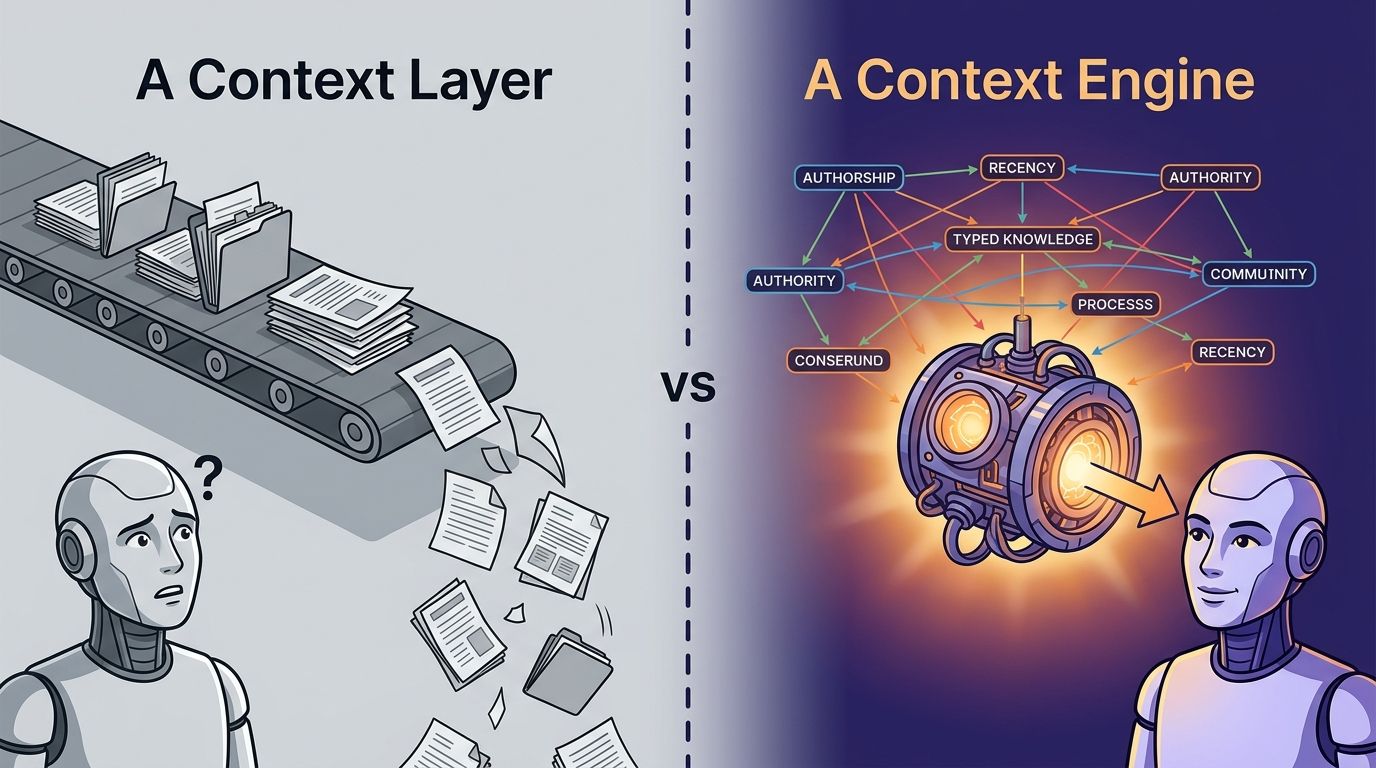
The distinction matters because they solve different failure modes. Cody helps when the problem is "I can't find the code." Unblocked helps when the problem is "I found the code but I don't know why it's written this way, what's been tried before, or what work is already in progress."
For a related comparison, see context engine vs enterprise search.
---
What Does Sourcegraph Cody Do Well?#
Sourcegraph's code search platform indexes millions of repositories for large enterprises, with customers reporting search across codebases exceeding 40,000 repositories (Sourcegraph, 2025). Cody inherits that infrastructure and adds an AI assistant layer on top.
Sourcegraph's platform indexes millions of repositories for large enterprises, with customers searching across 40,000+ repository codebases (Sourcegraph, 2025). Cody inherits that search infrastructure and adds AI-assisted chat, autocomplete, and inline edits grounded in code.
Code navigation at scale#
Cody's biggest advantage is Sourcegraph's code graph. Cross-repository code intelligence, precise go-to-definition, find-references, and symbol search are genuinely difficult at enterprise scale. Teams running thousands of repositories across multiple code hosts benefit from having a single search layer that works regardless of where the code lives. Few products do this as well as Sourcegraph does.
AI grounded in code#
Cody's chat and autocomplete features use the code graph as context. When you ask Cody a question, it retrieves relevant code snippets and files from your indexed repositories. This is meaningfully better than a generic LLM that has never seen your codebase. For questions like "where is the payment retry logic?" or "show me all callers of this function," Cody is fast and accurate.
IDE integration#
Cody ships extensions for VS Code and JetBrains with inline chat, autocomplete, and edit commands. The IDE experience is polished for individual engineers who want to search and ask questions without leaving their editor.
In our own evaluation, Sourcegraph's cross-repository search consistently returned relevant code matches faster than grep-based alternatives for organizations with 500+ repositories.
But here's the question worth asking. How often is the actual blocker "I can't find the code"? And how often is it "I found the code, but I'm missing something that isn't in the code at all"?
---
Where Does Sourcegraph Cody Stop?#
GitHub's 2025 Octoverse report found that AI-assisted pull requests are 25% more likely to be merged, yet the report also noted that review cycles haven't shortened proportionally, suggesting that code correctness alone doesn't determine merge velocity (GitHub, 2025). The gap between code-correct and merge-ready is where Sourcegraph Cody's scope ends.
GitHub's 2025 Octoverse report showed AI-assisted PRs are 25% more likely to merge, but review cycles haven't shortened proportionally (GitHub, 2025). That gap suggests code correctness alone doesn't drive merge velocity; institutional context determines whether a PR lands fast or stalls.
The boundary is the code itself#
Cody reasons over code. It does not ingest Slack conversations where your team debated an API design. It doesn't read Jira tickets tracking an ongoing migration. It doesn't parse PR review threads where a senior engineer explained why a pattern was deprecated. It doesn't index Confluence pages documenting your team's error-handling conventions.
Those sources aren't edge cases. They're where most institutional knowledge lives.
No cross-source conflict resolution#
When your Notion doc says one thing, the code says another, and a Slack thread from last month says a third, your AI agent needs help deciding which source to trust. Cody doesn't see the conflict because it only sees the code. The agent produces code that compiles but violates a convention documented elsewhere.
Single-agent architecture#
Cody is an agent itself. It's not infrastructure that feeds other agents. If your team uses Cursor, Claude Code, or Copilot, Cody doesn't plug into those tools. You either use Cody or you don't. That creates a standardization requirement that many engineering orgs, especially those with diverse tooling preferences, find difficult to enforce.
The pattern we've observed across dozens of enterprise evaluations is consistent: code search solves maybe 30% of the context problem. The other 70% is scattered across Slack, Jira, PR discussions, and docs. Solving the first 30% is valuable. Stopping there leaves the majority of the problem untouched.
Pricing and licensing shifts#
Sourcegraph's pricing model has shifted significantly over the past two years, moving from open-source roots toward enterprise licensing. The Sourcegraph 5.x releases changed the self-hosted model, which led some teams to re-evaluate alternatives. Engineering leaders evaluating a Sourcegraph alternative often cite pricing unpredictability as a factor alongside feature gaps.
---
What Does Unblocked Add Beyond Code Search?#
The Pragmatic Engineer's 2026 survey of 900 engineers found that 95% use AI tools weekly and 63.5% of staff-plus engineers run agents regularly, while Anthropic's agentic coding trends report found engineers fully delegate only 0-20% of tasks (Pragmatic Engineer, 2026; Anthropic, 2026). That gap between adoption and delegation is the context gap, and it's the problem Unblocked was built to close.
The Pragmatic Engineer's 2026 survey found 95% of 900 engineers use AI tools weekly, yet Anthropic's agentic coding report found engineers fully delegate only 0-20% of tasks (Pragmatic Engineer, 2026; Anthropic, 2026). That delegation gap is a context gap.
The sources that matter most#
Unblocked ingests the full engineering surface: GitHub, GitLab, Bitbucket, Azure DevOps (code and PR history), Jira, Linear, Asana (tickets and epics), Slack and Microsoft Teams (conversations and decisions), Confluence, Notion, Google Drive, Coda (documentation), Stack Overflow for Teams, plus CI systems like GitHub Actions, GitLab Pipelines, Buildkite, CircleCI, and Jenkins (docs.getunblocked.com).
Code is one source among many. The architecture treats every source as a first-class input and resolves conflicts between them before delivering context to the agent.
Agent-agnostic delivery via MCP#
Unblocked doesn't ask you to switch agents. It feeds context to the agent you already run through MCP. That means Cursor, Claude Code, GitHub Copilot, Codex, and Windsurf all get the same decision-grade context. Your team keeps their preferred tools. Unblocked is infrastructure, not another agent.
For more on the discipline behind this, see the context engineering guide.
Permission enforcement end to end#
Unblocked inherits permissions from each connected source system. An agent acting on behalf of a junior engineer sees only what that engineer is authorized to see. Data Shield enforces this at ingestion and at delivery. SOC 2 Type II, CASA Tier II, SAML SSO with SCIM provisioning, RBAC, and audit logs are built in (getunblocked.com/security).
A real team's experience#
"I'm the only architect at Subsplash, supporting dozens of engineers and over a thousand actively maintained repos. Unblocked gives me reach I didn't have before. It surfaces context from across our Slack, Jira, and GitHub that I'd otherwise have to dig for manually. For an architect covering that much surface area, it's the difference between being a bottleneck and actually scaling."
-- Ben Johnson, Software Architect, Subsplash
That quote reflects a pattern we hear consistently from architects and senior engineers: the value isn't finding code, it's finding the decisions around the code. The Slack thread where a design was debated. The Jira epic tracking a migration. The PR review that explains why the deprecated client is still in production.
In a controlled internal test, the same AI agent on the same codebase completed a complex task with 48% fewer tokens (20.9M vs 10.8M) and 83% faster when Unblocked was feeding context upstream. A single-task benchmark, but directionally consistent with what engineering teams report after deployment (getunblocked.com).
---
How Do the Two Compare on Key Dimensions?#
Gartner projects that 40% of enterprise applications will ship task-specific AI agents by the end of 2026, up from under 5% in 2025 (Gartner, 2025). As agent adoption accelerates, the infrastructure feeding those agents matters more than any single agent's features.
Gartner projects 40% of enterprise apps will ship task-specific AI agents by end of 2026, up from under 5% in 2025 (Gartner, 2025). As agent adoption scales, context infrastructure that feeds any agent becomes more valuable than any single agent's proprietary features.
Sourcegraph Cody vs Unblocked comparison matrix:
| Dimension | Sourcegraph Cody | Unblocked |
| Data sources | Code repositories (GitHub, GitLab, Bitbucket, Perforce, Gerrit) | Code repos + Slack, Jira, Linear, Confluence, Notion, Teams, Google Drive, CI systems, and more |
| Context type | Code-level: symbols, references, definitions, file content | Cross-source: code history, PR decisions, Slack discussions, ticket rationale, docs, CI data |
| Code review | Not a primary feature | AI Code Review bot that posts PR feedback with cited sources |
| Agent support | Cody is its own agent (VS Code, JetBrains) | Agent-agnostic via MCP: Cursor, Claude Code, Copilot, Codex, Windsurf |
| Permissions | Repository-level access controls | Source-level Data Shield with permission inheritance, RBAC, audit logs |
| Pricing | Free tier, Pro ($9/mo), Enterprise (custom) | Tiered per-user pricing, Enterprise with on-prem deployment |
| Deployment | Cloud, self-hosted | SaaS, on-prem (Enterprise tier) |
| Time-to-value | Hours for individual engineer | Days for team-wide via MCP |
Code search and code context are complementary capabilities, not substitutes. Source: Sourcegraph product documentation, Unblocked product documentation.
The table reveals the core difference. Cody is deep on code, narrow on everything else. Unblocked is broad across engineering sources, with code as one input among many. Which one matters more depends on where your team's bottleneck actually lives.
---
Which One Fits Your Team?#
JetBrains' 2025 State of Developer Ecosystem survey found that 77% of developers work in teams using three or more programming languages, and the average engineer interacts with multiple repositories daily (JetBrains, 2025). The tooling question isn't theoretical. It shows up every time an engineer asks, "Why is this code written this way?"
JetBrains' 2025 survey found 77% of developers work in teams using 3+ programming languages, and the average engineer interacts with multiple repositories daily (JetBrains, 2025). The context question surfaces every time an engineer needs to understand rationale, not just locate code.
Pick Sourcegraph Cody when:#
- Your primary pain point is finding code across a large, multi-repository codebase
- Your team needs cross-repository code intelligence (go-to-definition, find-references) at scale
- You want an AI assistant that answers code-level questions directly in the IDE
- Your institutional knowledge lives primarily in the code itself, not in surrounding tools
Pick Unblocked when:#
- Your AI agents produce code that compiles but misses conventions, deprecated patterns, or in-flight decisions
- Your institutional knowledge is scattered across Slack, Jira, Confluence, PR discussions, and docs
- Your team uses multiple AI agents (Cursor, Claude Code, Copilot) and you want a single context layer
- You need permission-enforced context delivery with SOC 2, SAML SSO, and audit trails
Consider both when:#
Can you run Sourcegraph and Unblocked together? Yes. They solve different problems. Sourcegraph handles code search and navigation. Unblocked handles the institutional context that code search doesn't cover. Some enterprise teams run Sourcegraph for code intelligence and Unblocked for the decision-grade context that feeds their AI agents. The combination is additive, not redundant.
The most common mistake we see in Sourcegraph alternative evaluations is treating code context as a one-dimensional problem. Teams compare Cody to Unblocked on code search alone and miss that Unblocked is solving a different problem entirely. The question isn't "which searches code better?" It's "where does your team's context actually live?"
Read the full context engineering guide for the discipline above the tools.
---
FAQ#
Is Sourcegraph Cody a free alternative to Unblocked?#
No. They solve different problems. Cody's free tier provides AI chat grounded in code search, which is valuable for code-level questions. Unblocked provides cross-source context from Slack, Jira, PR discussions, and docs. A free Cody plan doesn't replace the context that Unblocked delivers. Stack Overflow's 2025 survey found 76% of developers use AI tools, but most report needing to correct AI output frequently, suggesting code grounding alone isn't sufficient (Stack Overflow, 2025).
Can I use Unblocked with my existing Sourcegraph setup?#
Yes. Unblocked connects to the same code hosts Sourcegraph indexes (GitHub, GitLab, Bitbucket, Azure DevOps) and adds the non-code sources that Sourcegraph doesn't cover. The two products don't conflict. Your engineers keep Sourcegraph for code search and get Unblocked's cross-source context through MCP in whichever agent they prefer.
Does Unblocked do code search?#
Unblocked ingests code repositories, but its primary value isn't symbol-level code search. It's the synthesis of code with the conversations, tickets, reviews, and documentation that explain the code. For pure code navigation, Sourcegraph's infrastructure is purpose-built. For understanding why the code is the way it is, Unblocked provides the broader picture.
What if my team standardizes on Cody as our AI assistant?#
If your team commits to Cody as the primary AI assistant, Cody handles code-grounded chat and autocomplete inside the IDE. The question is whether your engineers also need context from Slack, Jira, and PR discussions. If they do, Unblocked fills that gap and delivers context through its web app, Slack/Teams apps, and API. The 2025 DORA report found that documentation quality and knowledge sharing are among the strongest predictors of team performance (DORA, 2025).
---
Code Search vs Code Understanding#
The distinction between these two products maps to a distinction in how engineering teams actually work. Code search answers "where is it?" Code understanding answers "why is it this way, and what should I know before I change it?"
Sourcegraph built the best code search platform in the industry. That's a genuine achievement and a real contribution to developer tooling. But the context problem extends beyond code. It extends into the Slack threads, Jira epics, PR discussions, and documentation that shape every engineering decision.
Unblocked was built for that extended surface. It doesn't replace code search. It covers everything code search can't reach and delivers it to whichever AI agent your team already uses.
The right choice depends on your bottleneck. If your engineers can't find code, solve that first. If they find code but keep producing "almost right" output because they're missing the institutional context around it, that's the problem Unblocked closes.
For a deeper exploration, read about what a context engine is and how it differs from search.
Continue reading:
- What is a context engine? - the architectural view of engineering context infrastructure.
- Context engine vs enterprise search - where context engines differ from search.
- The context engineering guide - the discipline above the tools.
---
Brandon Waselnuk is a content lead at Unblocked.