A lot of our engineering context lives in Slack. How do I get an AI coding agent to use it?

Connect Slack to the agent over MCP, then tell the agent to check it before it writes code. Slack's official MCP server works in Claude Code and Cursor and searches as the signed-in user. It returns raw messages, so for threads that need to be weighed against code, PRs and tickets, put a context engine in front that returns one cited answer.
Give your AI coding agent a way to search Slack, then make it actually look. Model Context Protocol (MCP) is the standard Claude Code and Cursor use to call outside tools, and Slack runs an official MCP server, so the connection itself needs no code. The harder part comes afterward: getting the agent to search before it writes code, and interpreting what comes back, since a raw Slack thread records what someone said in March without saying whether the code still matches. For most teams the path is three steps: connect Slack, add one instruction to the agent's project file, and decide whether the agent should read raw threads or get a finished answer.
Step 1: Connect Slack to the agent over MCP#
The Slack MCP server is Slack's hosted connector at https://mcp.slack.com/mcp, and it works in Claude.ai, Claude Code, Perplexity and Cursor "no coding needed" (Slack MCP docs). It can search messages, files, users and channels, read channel and thread history, and send or draft messages. Search runs on a user token. You grant scopes such as search:read.public for public channels and search:read.private or search:read.im if you want private channels or DMs in reach.
In Claude Code, add it as a remote HTTP server with claude mcp add --transport http, then run /mcp and sign in through the browser (Claude Code MCP docs). Adding --scope project writes it to a .mcp.json file in the repository, so the whole team loads the same server from version control. Because the server can also post, decide up front whether the agent may. In Cursor, the same server goes in .cursor/mcp.json for one project or ~/.cursor/mcp.json for all of them, and Cursor handles the OAuth sign-in (Cursor MCP docs).
Talk to your Slack admin first, for two reasons. Slack says "only directory-published apps or internal apps may use MCP," and "workspace admins can approve and manage all MCP client integrations." MCP activity also appears in Slack's audit logs, which helps when security asks what the agent read.
Our Slack MCP walkthrough covers channel scoping and API terms.
Step 2: Tell the agent to search Slack before it codes#
A connected tool does nothing until the model decides to call it. Agents start from the code in front of them, while Slack holds the reasoning, such as the thread where the team abandoned an approach. Put the instruction where the agent reads it every session, such as CLAUDE.md or a Cursor rule.
Be specific about when. "Before changing a service, search Slack for that service's name and any related incident channel, and summarize what you found before writing code" works better than "use Slack when helpful". Name the channels that matter (#eng-payments, #incidents, #architecture), because search across a busy workspace returns plenty of unrelated conversation.
Watch the cost. Claude Code warns when one tool output passes 10,000 tokens and caps it at 25,000 by default (Claude Code MCP docs). A March 2026 paper on MCP tool selection found that loading every available tool into context brings "substantial token overhead, increased costs, reduced accuracy" (arXiv 2603.20313). Ask for summaries and links rather than full thread dumps.
Step 3: Check that the history is still there#
The agent can only find what Slack has kept. On paid plans, "data is kept for the lifetime of your workspace by default," but owners can set automatic deletion, and "data deleted according to your retention setting is permanent" (Slack retention help).
Ask your Slack owner about the retention policy before you plan around old threads. If important decisions live in channels with short retention, link the thread from the PR or ticket while it still exists.
When raw Slack threads are not enough#
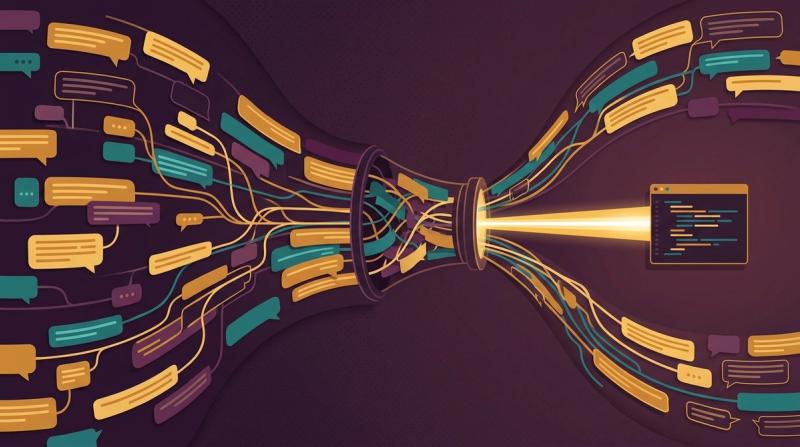
The Slack MCP server gives the agent search results, and the agent still has to judge them. For example, a thread from June says the billing job retries five times, the Confluence page says three, and the code says five. With Slack, Confluence and GitHub servers all attached, the agent gets three lists and has to settle the conflict itself, every session. See context engine vs direct MCPs and how a tool weighs a recent Slack message against an old doc.
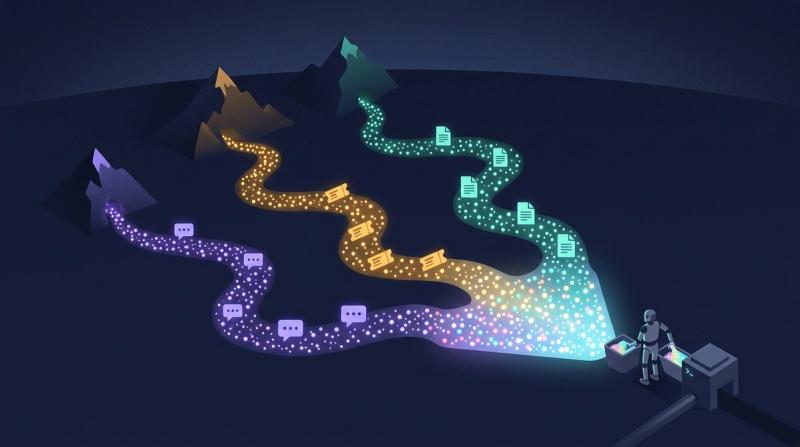
A context engine is a service that indexes Slack together with code, pull requests, tickets and docs, reconciles them, and hands the agent one cited answer. Unblocked works this way. A Slack admin connects the workspace once and picks the channels, and private-channel content stays restricted to that channel's members (Unblocked Slack docs). Its MCP server answers inside Claude Code, Cursor, Codex, VS Code, JetBrains IDEs and Windsurf (Unblocked MCP docs). It treats code as the ground truth for current behavior, filters retrieval to what the asking person may see in each source, and says so when sources still conflict (inside the Unblocked context engine). In the billing example, the agent gets the five retries, the thread that explains them, and the wiki page flagged as conflicting. Sarah Lane, Founding Support Engineer at Expo, describes it this way: "It really digs deep into Slack threads and connects conversations: someone spoke about this last week, but they also spoke about it four months ago, and here's what changed between those dates. It goes through closed issues and tells me what the resolution was then and how it affects the customer's situation now. Things that would have taken me so much longer to find, it finds in seconds."
| Slack MCP server alone | Context engine in front of Slack | |
|---|---|---|
| What the agent receives | Matching messages and threads | One cited answer across Slack, code, PRs and docs |
| Who settles conflicts | The agent, each session | The engine, before the answer is returned |
| Permissions | The signed-in user's Slack token | Mirrored from each source system |
| Setup | Admin approval, then one sign-in per engineer | Admin connects Slack once, each engineer signs in once |
Which setup fits your team#
Use the Slack MCP server alone when the team is small, Slack is the primary place decisions happen, and someone reviews what the agent retrieves.
Move to a context engine when the Slack thread is only half the story. That usually means the answer also sits in a PR review, an old ticket or a doc that may be stale, or more than a few engineers each wire up their own servers. The sign is the first time an agent acts on a Slack message the code has already moved past. See also why Claude Code keeps reinventing rejected approaches. Our comparison of ways to give agents Slack, Jira and Confluence knowledge lays out the options side by side.