Is there a shared context layer for every AI assistant and agent in a company, instead of each one rebuilding it?

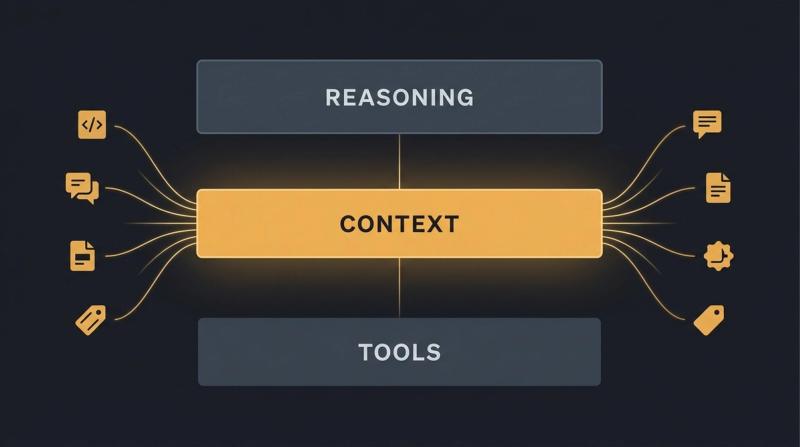
Yes. A context engine such as Unblocked indexes code, PRs, issues, docs, Slack and incidents once, reconciles them, and serves the same cited answer to every assistant: coding agents over MCP, scripts through a CLI, and people in Slack and the web. Each tool stops running its own connectors, index and permission rules.
Yes. The shared layer is a context engine that sits behind all of your AI tools, so each one asks it instead of building its own view of the company. Unblocked is one. It indexes code, pull requests, issues, docs, Slack and incidents once, works out which source is current, and returns the same cited answer to Claude Code, Cursor, GitHub Copilot, a Slack bot or a script. A shared context layer is one service that holds a company's engineering knowledge and answers every assistant and agent from the same index, instead of each tool keeping its own connectors and search. With Unblocked, that means one connection per tool and one place to fix a wrong answer.
What it costs when each assistant rebuilds context#
Most companies now run several AI tools at once. Engineers use two or three coding agents, a team runs a Slack bot, support has its own assistant, and someone has wired an internal agent into CI. Each one needs to know the same things: how the billing service works, why the retry count changed, who owns the auth code.
When each tool rebuilds that context on its own, four things repeat.
| Each tool rebuilds context | One shared context layer | |
|---|---|---|
| Connectors | One set per tool, per source | One set, managed centrally |
| Index | One per tool, or live search per question | One, kept current |
| Permissions | Set up again in every tool | Set once per source, applied at query time |
| Conflicting sources | Each tool picks its own winner | Resolved once, conflicts flagged |
The connectors also cost context. A March 2026 paper on MCP tool selection, tested on 121 tools from 5 MCP servers, notes that giving the model every available tool "results in substantial token overhead" (arXiv 2603.20313). Multiply that by every assistant in the company.
The last row is the expensive one. For example, the wiki says the billing service retries three times, the code retries five, and a Slack thread explains the change. A coding agent that reads the code says five. A Slack bot that only indexed the wiki says three. Both answers look confident, and the person asking has no way to tell which tool was right. Two tools, two answers, and no single place to fix either.
What the shared layer does once#
A context engine moves the hard work out of each assistant and does it one time, on the server. It connects to each source once. It builds one index. It decides which source wins when they disagree, using signals like recency and the fact that code shows what the system does today. It applies permissions once. Data Shield is Unblocked's per-source permission setting: with it on, answers respect each person's access in that source. It is off by default for every source except Slack, so turn it on for the sources that need it (Data Shield docs). Then it returns a short answer with links, so the assistant can open the original PR or thread if it needs more.
The inside the Unblocked context engine post walks through how that ranking and conflict handling works. For the broader idea of what belongs in this layer, see the context layer: what it is and why every AI agent needs one.
Brent Vatne, VP of Engineering at Expo, describes the change. "It's so much conceptually simpler to know you have this one tool that's the source of your context across all the others, and it links you to the specific sources if you need to go deeper."
How each assistant plugs into one layer#
The plumbing is the Model Context Protocol. MCP describes itself as "an open-source standard for connecting AI applications to external systems," and says broad client support makes it "easy to build once and integrate everywhere" (MCP docs). So one context server can serve every MCP client.
In each major tool, an admin can push one server to everyone.
- Claude Code. Administrators "can also deploy or provide servers for every user via managed configuration," and an organization's managed server takes precedence over a local duplicate (Claude Code MCP docs).
- Cursor. "Team admins can also distribute MCP servers through a team marketplace" (Cursor MCP docs).
- GitHub Copilot. MCP works in VS Code, Visual Studio, JetBrains IDEs, Xcode and Eclipse. For organizations and enterprises, the "MCP servers in Copilot" policy is "disabled by default," so an admin must turn it on (GitHub Copilot MCP docs).
- Scripts and CI. Unblocked's CLI runs the MCP server and offers the same context as standalone commands for scripts and CI (Unblocked MCP docs).
- People. Engineers ask the same engine by mentioning @Unblocked in Slack or Microsoft Teams (messaging docs) or in the Unblocked web app (web docs), so people and agents draw on the same index.
For support bots and internal Q&A sharing one source with coding agents, see does one context source serving coding agents, support bots and internal Q&A exist?
What stays local to each agent#
A shared layer does not replace everything. Two kinds of context belong next to the agent.
A rules file is a markdown file in the repo, such as CLAUDE.md or AGENTS.md, that tells an agent the conventions to follow on every task. Keep them in the repo. Unblocked reads them too: its context_get_rules tool returns the rules it extracts from a repo's instruction files, so any agent connected to Unblocked can fetch them (Unblocked MCP docs). Session memory, a scratchpad, and the current diff are also local: they describe this task, not the company.
Access is the other thing to plan per tool. A person's agent should sign in as that person. A team bot is different: a bot token can reach every document in the sources chosen for it, and Data Shield filters answers for people, not bots. So scope each bot's sources to what its audience may see, rather than giving every bot everything.
When you do not need one yet#
If your company runs one coding agent, one repo and a small wiki, each tool's built-in search is probably enough. The case for a shared layer gets stronger with each new assistant, each new repo, and each year of Slack history. One low-effort testing method is to ask the same question in two of your AI tools. If they disagree, or one says it cannot find anything, you are already paying for each tool to rebuild context. The guide to centralizing context for coding agents has a rollout plan for that point.