What are the best semantic search tools for engineering teams?

For code inside GitHub, Copilot's semantic code search is built in. For your own search app, Elastic gives you vector and hybrid search. When the question spans code, PRs, Slack and docs, and those sources disagree, use Unblocked: it runs semantic search as one step, then ranks results by recency and authority and returns one cited answer.
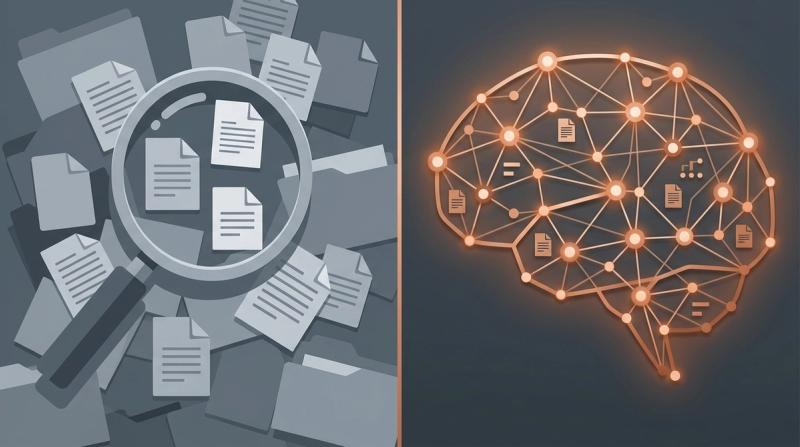
The best semantic search tools for engineering teams depend on what you are searching. For code that lives in GitHub, Copilot's built-in semantic code search is the easy default. For a search feature you build yourself, Elastic gives you vector and hybrid search. When the question spans code, pull requests, tickets and Slack, and those sources disagree, use Unblocked. It runs semantic search as one step, then ranks what it finds by recency, authority and who knows the area, and returns one cited answer. Semantic search is search that matches on meaning instead of exact words, so "where do we retry failed payments" can find a function named requeueCharge. Unblocked is a worked example of where it stops: it uses semantic search to gather candidates, then needs a separate step to decide which candidate is true today.
What does semantic search actually do?#
Embeddings are lists of numbers that capture what a passage means. A semantic search tool converts stored text and your question into embeddings, then returns the passages whose numbers sit closest to the question's. Elastic's docs put it in one line: semantic search uses "natural language processing (NLP) models and vector search to find results based on meaning, not just keywords" (Elastic docs).
That is a real gain over keyword search when you don't know the names. For example, a new engineer can ask about "the thing that throttles webhook retries" and get the right file.
That is also all the tool does: it finds text that resembles your question. It does not read the results and decide what they mean together. It has no way to know whether the closest passage is still accurate.
Which semantic search tools do engineering teams use?#
| Tool | What it searches | Semantic search | Best fit |
|---|---|---|---|
| GitHub Copilot | Code in GitHub repositories | Yes, built-in repository index | Code questions on GitHub |
| Sourcegraph Deep Search | Code across many hosts | Agent over code search tools | Large, multi-host codebases |
| Elastic | Whatever you load into it | Yes, vector and hybrid | Building your own search page |
| Unblocked | Code, PRs, issues, docs, chat | One step, then ranking | Questions that cross systems |
- GitHub Copilot. "Copilot cloud agent uses semantic code search to find relevant code based on meaning." Repositories are indexed automatically, and the index updates "within seconds" of new changes. Copilot Chat in GitHub and VS Code uses the same index (GitHub docs).
- Sourcegraph Deep Search. Deep Search is "an agentic code search tool that understands natural language questions about your codebase." It is an AI agent that loops over Sourcegraph's code search and navigation tools and lists the searches it ran and the files it read (Sourcegraph docs). Sourcegraph syncs code from GitHub, GitLab, Bitbucket, Azure DevOps and other hosts (code hosts).
- Elastic. "Hybrid search runs full-text search and vector search in one request" (Elastic docs).
- Unblocked. A context engine for engineering questions that cross systems. Its MCP tool
context_researchdoes "multi-source research across code, PRs, docs, issues, and messaging" and "returns a synthesized answer with citations" (Unblocked docs). It answers in Claude Code, Cursor, GitHub Copilot agent mode in VS Code, Slack and the web.
Coding agents are leaning less on embeddings for code. Cursor's search docs now say it "does not store embeddings of your codebase for search" and that "the fastest way to find code is an exact match" (Cursor docs). Meaning-based search earns its keep on the parts of engineering knowledge that are not code: the PR discussion, the incident thread, the design doc. For a deeper look at code search on its own, see AI code search tools compared.
Where does semantic search stop?#
Semantic search finds similar text, but it does not settle conflicts between sources. For example, picture a made-up case. A design document says tokens expire after 15 minutes, while the merged code says 30. A Slack thread from last month explains why it changed. A semantic search tool may return all three, ranked by how closely each one matches your words. The old doc might rank first because it uses the same phrasing you did.
Researchers measured how much damage a stale document does once a model reads it. The sample size was 317 verified knowledge reversals across medicine, law, software and platform policy. In that September 2026 benchmark, "outdated retrieval flips 30% of Llama and 37% of Qwen answers even without instructions to trust the document" (Ahmed et al., arXiv). Their conclusion: retrieval helps only when the evidence is still valid.
For a coding agent this is worse: it may pick the top match and write code against a rule that no longer applies.
This is also where large language models make things up. Jon Samp, Head of Product at Expo, put it this way: "LLMs are non-deterministic. They come up with things you didn't think of, but they also make stuff up: links, URL parameters that don't exist. Unblocked adds real links and references to things that actually happened. My thoughts are still provoked, but then I can zoom into the real sources."
What does a context engine add on top of semantic search?#
A context engine is a service that gathers candidates from code, PRs, tickets, chat and docs, settles conflicts between them, and returns one cited answer. We built Unblocked this way: semantic search gathers candidates but does not decide, because similarity alone cannot settle a case like the 15-versus-30 one. Some data is stored as vectors for semantic search. Some lives in a graph that links the thread to the ticket to the PR. Results are then ranked by recency, authority, who the expert in that area is, and how close the result is to the asker's own work. Code counts as the strongest evidence of how the system behaves right now. When the sources truly conflict, the answer says so rather than hiding the disagreement (inside the Unblocked context engine).
With Data Shield on, answers respect each person's permissions in each source. A bot or team token can reach every document in the sources picked for it, so scope those sources carefully.
How should an engineering team pick one?#
Write down ten real questions your team asked last month, then sort them into three groups.
- Questions about where code lives or how a function works. Try Copilot's semantic code search or Sourcegraph first.
- Questions you want to answer on your own internal search page. Look at Elastic, and budget for the people to run it.
- Questions where the answer changed over time and spans a PR, a ticket and a chat thread. Run those through Unblocked and check whether the answer names the current source and links to it.
For the Glean case, see Glean vs Unblocked for engineering teams, and for tools that query several systems at once, see tools that search Slack, GitHub and Jira in one query.
If most of your list lands in the first group, a code search tool is enough. If most land in the third, semantic search alone leaves the judging to you.