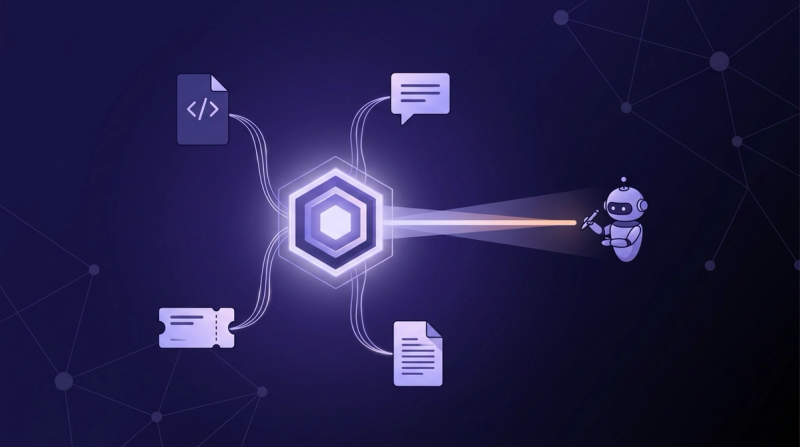
Connect PagerDuty and GitHub to Claude Code for Incident Debugging
Wire the official PagerDuty MCP server and GitHub's remote MCP into Claude Code, so the incident, the diff, and the on-call picture share one session. Then close the gap the connectors leave: the war room, the postmortems, and the repos nobody mentioned.

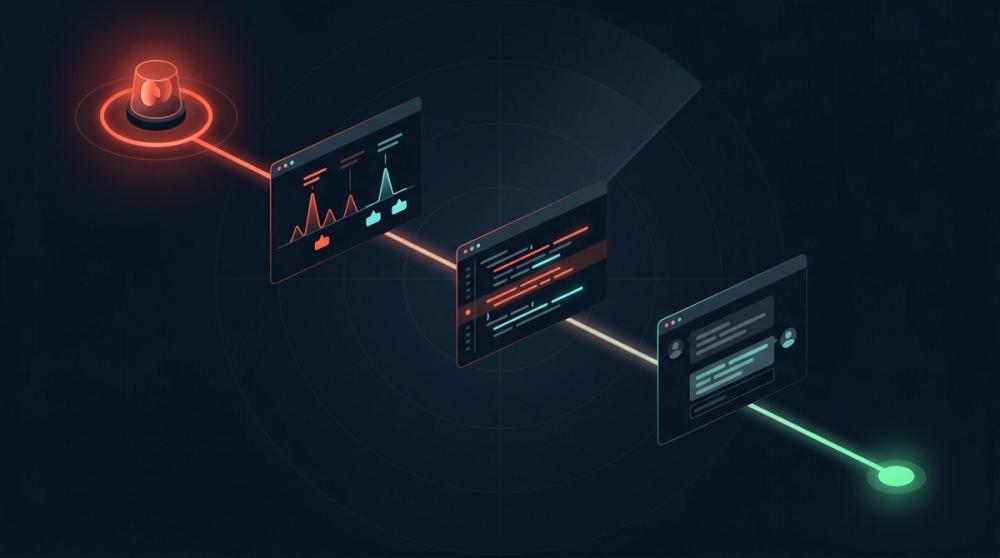
TL;DR: PagerDuty ships an official MCP server in two forms: a hosted endpoint at mcp.pagerduty.com/mcp and an open-source local server, read-only by default. Pair it with GitHub's remote MCP and Claude Code can pull the incident, find the owning repo, and walk every PR since the last good deploy in one session. Neither connector carries the war-room Slack thread, past postmortems, or the repos nobody wired up.
The page lands at 3:07 a.m. for a service you have never touched. PagerDuty says checkout-gateway is critical, the escalation policy says you are the last stop, and the runbook was last edited by an engineer who left in March. So you do the ritual: runbook in one tab, the service's GitHub repo in a second, the war-room Slack channel in a third, scrolling all of them while the incident timer runs.
Most of that scrolling is now automatable. The official PagerDuty MCP server and GitHub's remote MCP server can both feed Claude Code directly, which means the live incident, the recent deploys, and the diff that probably caused the page can sit in one session instead of three tabs. This guide covers the full setup, what to ask once it works, and the context neither connector can reach.
What is the PagerDuty MCP server, and what can it do mid-incident?#
The PagerDuty MCP server is PagerDuty's official Model Context Protocol server: it exposes your PagerDuty account to an AI client as callable tools, so an agent can read incidents, schedules, and service state mid-page. The appetite for this is measurable. PagerDuty surveyed 1,000 business leaders, IT decision makers, and senior developers for its 2026 State of AI-First Operations report and found that 59% already actively incorporate AI into their operations (PagerDuty, 2026), and the protocol underneath keeps moving: the next major MCP spec revision reached release-candidate status in May 2026, with the final version due July 28 (Model Context Protocol, 2026).
It comes in two deployment shapes (PagerDuty, 2026): a PagerDuty-hosted remote service and a self-hosted open-source server you run locally. The hosted service exposes 55 tools across 14 domains, covering incidents, services, on-call schedules, escalation policies, teams, event orchestrations, and status pages (PagerDuty MCP docs, 2026). Mid-incident, that means your agent can fetch the incident with its alerts and notes, check who else is on call, list a service's recent incident history, and read service metadata without you touching the web UI. The local server is read-only by default; anything that mutates state sits behind an explicit opt-in flag.
How do you connect PagerDuty MCP and GitHub to Claude Code?#
Both configs below are verified against the official docs as of July 2026: PagerDuty publishes its remote endpoint and auth options on its docs site (PagerDuty MCP setup, 2026), and GitHub maintains a Claude Code install guide inside its server repo (GitHub, 2026). The wiring pattern matches our Jira MCP guide: point the client at a hosted endpoint, authenticate, verify.
For PagerDuty, create a User API Token first (User Settings, then API Access in your PagerDuty profile), then register the hosted server:
bashclaude mcp add-json pagerduty '{"type":"http","url":"https://mcp.pagerduty.com/mcp","headers":{"Authorization":"Token token=YOUR_PAGERDUTY_API_KEY"}}'EU-hosted accounts use https://mcp.eu.pagerduty.com/mcp instead. One sharp edge: PagerDuty does not currently support Dynamic Client Registration, so the browser-style OAuth flow you may know from other remote servers needs pre-provisioned client credentials here. The API-token header is the path of least resistance, and the agent then acts with your user's permissions, not a superuser's.
Prefer keeping traffic local? The open-source server documents a uvx pagerduty-mcp entrypoint keyed to one environment variable, PAGERDUTY_USER_API_KEY (PagerDuty, 2026); Claude Code's standard stdio registration wraps it like this:
bashclaude mcp add pagerduty -e PAGERDUTY_USER_API_KEY=YOUR_KEY -- uvx pagerduty-mcpFor GitHub, the remote server needs a personal access token passed as a bearer header:
bashclaude mcp add-json github '{"type":"http","url":"https://api.githubcopilot.com/mcp","headers":{"Authorization":"Bearer YOUR_GITHUB_PAT"}}'Run /mcp inside Claude Code and confirm both servers show connected. Then budget for what you just added: community measurements of the official GitHub server show its tool definitions claiming a five-figure share of the context window before the first prompt. Two servers is a reasonable spend for incident work. Five is a tax.
How do you link an active incident to related issues and PRs?#
The short answer: map each PagerDuty service to its GitHub repo, then have the agent walk everything merged since the last good deploy. It matters more every year. Anthropic's 2026 Agentic Coding Trends Report finds that engineers now use AI in roughly 60% of their work, with agent-driven implementation collapsing cycle time from weeks to hours (Anthropic, 2026). More change shipping faster means more pages traceable to a recent diff, which makes incident-to-PR linking the single highest-value query in this whole PagerDuty GitHub integration.
The catch is that PagerDuty services rarely map one-to-one to repository names. checkout-gateway in PagerDuty might be payments-edge on GitHub. Give Claude Code the mapping rather than making it guess: a short service-to-repo table in your CLAUDE.md file, or in each PagerDuty service description, is enough.
With the mapping in place, the query is one sentence: "Pull the triggered incident on checkout-gateway, find its repo, and list every PR merged there in the last 48 hours with a one-line summary of each diff." The agent chains the incident lookup, resolves the service, then walks the pull requests and commit history on the GitHub side. What took four browser tabs and a git log becomes a ranked list of suspects.
What does a combined-context debugging session look like?#
The clock argues for compressing this loop: PagerDuty's 2026 State of AI-First Operations research found that more than two-thirds (68%) of organizations lose over $300,000 per hour during IT incidents, and 34% lose at least $500,000 (PagerDuty, 2026). Here is what Claude Code incident response looks like with both servers live.
The page fires. You open one terminal and ask for the incident: title, urgency, alert payloads, who else got paged. The agent returns the stack trace embedded in the alert body. You ask it to map the service to its repo and diff the three PRs merged since the last known-good deploy. It flags one: a connection-pool change that halved the timeout on an upstream call, which matches the ETIMEDOUT errors in the alert.
Now the hypothesis is testable. You have the agent draft a revert branch and summarize the blast radius while you confirm the theory against the dashboard. Once you have shipped the fix, it adds a note to the incident with the suspected cause and the PR link, so the timeline writes itself.
Notice the division of labor: the agent fetched, correlated, and drafted, while the deciding stayed with you. That boundary is worth keeping, and the FAQ below covers why.
Where does hand-wired incident tooling break down?#
The first failure mode of the hand-wired approach is context arithmetic: every server you add bills its full tool catalog on every turn, and an incident session that starts with 55 PagerDuty tools plus GitHub's catalog is spending context before it reads the first alert.
The second failure mode is maintenance. Endpoints move, auth models differ per vendor, install commands change between client versions, and API keys rotate. Each connector is a small integration your team now owns, reviewed by nobody, tested at 3 a.m.
The third is subtler: coverage shapes conclusions. An agent that can see only PagerDuty and GitHub will build its hypothesis from PagerDuty and GitHub, and agents tend to stop at the first plausible answer. The most recent diff is the most convenient suspect. It is not always the guilty one, and the evidence that says otherwise usually lives somewhere your two connectors cannot reach.
Whose context is missing from the war room?#
The same Anthropic 2026 report notes that even engineers using AI in most of their work say they can fully delegate only a small fraction of tasks, because effective use still demands active supervision and judgment (Anthropic, 2026). Almost right is exactly what you get when the agent can see the incident and the diff but not the discussion around them: the war-room Slack channel where someone already ruled out the deploy, the postmortem from the last time this service failed the same way, the superseded runbook, and the sibling services that never came up because nobody thought to mention them. Incident debugging is a cross-source problem, and connectors are single-source tools. This is the layer where context infrastructure for autonomous agents starts to matter more than any individual integration.
Unblocked is the context engine that closes this gap: it eliminates cross-repo archaeology by indexing code, PRs, Slack, docs, and incident history across the whole organization, then answering with a synthesized, permission-aware result inside Claude Code. During the axios supply-chain incident, Youssef Eladawy's team at HeyJobs needed to know every affected repository, including ones outside anyone's working set:
I keep Unblocked globally installed so it's in every Claude session by default. During the axios incident, I didn't have all of HeyJobs' repos on my laptop, so I asked Unblocked to find every repository we had that could be vulnerable and report back. It came back with repositories I wasn't fully aware of. That's the pattern — I know what I'm looking for, but Unblocked finds what I don't know about.
Youssef Eladawy — Senior Software Engineer, HeyJobs
That is the capability no hand-wired pair of connectors can offer: it finds repositories you didn't know existed. You can only wire up what you already know about, and incidents are precisely the moments when what you know is incomplete.
Hand-wired incident stack vs a context engine#
The honest comparison is not either-or. Most teams want the connectors' write path and a context engine's read path, because they solve different halves of the incident-context problem for AI agents.
| Dimension | PagerDuty MCP plus GitHub MCP | Context engine (Unblocked) |
|---|---|---|
| Sources visible | PagerDuty and GitHub only | Code, PRs, Slack, docs, issues, incident history |
| Repo discovery | Only repos you name | Surfaces affected repos across the org |
| War-room context | Not reachable | Slack threads indexed and searchable |
| Prior incidents | Current account data via API | Postmortems and past fixes synthesized into answers |
| Token cost | Full tool schemas billed every turn | One retrieval interface returning a curated slice |
| Write actions | Yes, acknowledge, resolve, annotate | No, context only |
| Maintenance | Two tokens and two endpoints you keep current | One integration maintained for you |
Read the last two rows together. The connectors are the hands: they acknowledge, annotate, and resolve. The context engine is the memory: what happened before, what was decided, and where else the problem lives. During an incident you want both, and you want neither pretending to be the other.
Frequently asked questions#
Can Claude Code actually resolve a PagerDuty incident?#
Mechanically, yes: with write tools enabled, the official server exposes incident management operations, so the agent can acknowledge, reassign, add notes, and resolve. Practically, resolving an incident is a judgment that the system is healthy again, and that judgment should be a human's. Let the agent do the correlation and the drafting; keep the resolve button, and the fix itself, on your side of the keyboard.
Should the agent get write access to PagerDuty during an incident?#
Default to no. The official PagerDuty MCP local server ships read-only, with write operations behind an explicit --enable-write-tools flag (PagerDuty, 2026), and that default is correct for incident work. Read access covers the debugging value. If you do enable writes, scope them to low-risk actions like adding notes, and remember the agent acts with your full user permissions.
Does an AI incident debugging setup replace runbooks?#
No. A runbook encodes intent: what healthy looks like, what to check first, who to escalate to. Neither connector here can even read your runbook unless it lives in GitHub, since runbooks usually sit in a wiki or docs tool outside both servers' reach. The agent is a faster pair of hands for the investigation the runbook prescribes, and a context engine is how the runbook's surrounding knowledge reaches the agent.
What about the Slack war room?#
A Slack connector can give your agent read access to the incident channel, and that is worth wiring if your process centers on war rooms. The deeper value is historical: the war room from the last time this service failed contains the diagnosis and the fix. A context engine indexes those past threads alongside the postmortem, so the agent inherits the previous incident instead of rediscovering it.
Before the Next Page#
Wire up both servers this week; the configs above take minutes and pay for themselves on the first incident. But treat them as the floor. The next 3 a.m. page will come from a service you do not know, caused by a change you did not review, discussed in a channel you have not read. Connectors hand your agent two of those. A context engine hands it all of them, because it works across 1,000+ repos and dozens of engineers, not just the tabs you managed to open.