Why Cursor Hallucinates Your Architecture and Forgets Context (and How to Fix It)
Cursor hallucinates internal architecture and forgets context between sessions for two different reasons: a finite context window that drops the real details, and a model that pattern-matches against public code when it lacks yours. Here's why rules files fall short and what actually fixes it.


Bottom line: Cursor forgets because its context window is finite and resets each session, and it hallucinates because a model with no real context falls back on public-code patterns. Rules files and @file references are manual patches that decay. The durable fix is a persistent context engine that reconciles your code, tickets, and discussions once and serves Cursor decision-grade context on every request.
Cursor hallucinates your internal architecture and forgets your codebase between sessions for two different reasons, and telling them apart is the first step to fixing either. Context loss is mechanical: the context window is finite, so older details get summarized or dropped as the session grows. Hallucination is what happens next: when the model no longer has your real code in view, it pattern-matches against the millions of public repositories it was trained on and confidently invents an architecture that isn't yours.
Neither problem is a bug you can prompt your way out of. More rules files and a bigger context window give Cursor more access to your code, not the persistent understanding it needs to stop guessing. The cost of that missing context compounds with every session you re-explain from scratch.
Why does Cursor keep hallucinating our internal architecture?#
Cursor hallucinates internal architecture when it runs out of real context and falls back on the public code it was trained on. The model has seen millions of repositories, so when it can't see how your services actually connect, it fills the gap with the most statistically common pattern instead of your pattern. The output looks confident and plausible, which is exactly what makes it dangerous. The risk scales with volume, too: GitHub's 2025 Octoverse reported AI driving code creation to record levels (GitHub Octoverse, 2025), which means more hallucinated architecture shipping faster when the grounding isn't there.
This is the failure developers rank highest. In Stack Overflow's 2025 survey, "AI solutions that are almost right, but not quite" was the single biggest frustration with AI tools (Stack Overflow Developer Survey, 2025), and hallucinated architecture is the archetype. Broader reliability data tells the same story: model accuracy and factual grounding remain uneven across tasks (Stanford HAI AI Index, 2026). The fix isn't a smarter model. It's making sure the model never has to guess, because your real architecture is already in front of it.
Why does Cursor forget our codebase context between sessions, and how do I fix it?#
Cursor forgets because the context window is a finite working memory that resets when the session ends. Anthropic's engineering team frames context as a finite attention budget that must be curated rather than filled (Anthropic, 2025). As a session grows, Cursor summarizes or evicts older content to stay within that budget, and once the window closes, none of it persists to the next session. You start every conversation re-explaining the same architecture.
Worse, accuracy degrades before the window is even full. The 2025 "Hidden in the Haystack" study, across 11 models and more than 150,000 controlled runs, found that model performance drops as distractor text piles up around the relevant passage, so a window stuffed with @folder dumps actively makes Cursor less reliable (arXiv:2505.18148, 2025). We measured the same accuracy cliff in a sibling tool in Claude Code context rot. The fix is not a bigger window; it is persistence plus curation. A context engine holds your reconciled context across sessions and feeds Cursor only the relevant slice each time, so it starts every session already knowing your codebase. We cover the parallel failure in Claude Code in why your AI coding agent keeps forgetting your codebase.
Do Cursor rules files and @file references actually fix this?#
Rules files and @file references help at the margin, but they are manual patches that decay. A .cursorrules file is a static document you maintain by hand, and it drifts out of date the moment your codebase moves on, the same rot that afflicts every static rules file (see rules-file rot). Pointing Cursor at specific files with @file or @folder works for a single task, but you rebuild that context every session, and dumping whole folders reintroduces the context-rot problem above.
The table below contrasts the manual workarounds with a persistent context engine across the dimensions that decide whether the fix lasts.
| Dimension | Manual workarounds (rules files, @file/@folder, re-explaining) | Persistent context engine (Unblocked) |
|---|---|---|
| Setup effort | Low per file, but repeated every session forever | Higher up front, then automatic |
| Persistence across sessions | None. Context resets when the window closes | Retained. The engine holds context across every session |
| Conflict resolution | None. Stale rules and current code sit side by side | Sources reconciled before Cursor sees them |
| Token cost | High. Whole-folder dumps burn the window and invite context rot | Lower. Only the relevant reconciled slice is sent |
Access versus understanding: why isn't a bigger context window the fix?#
A bigger context window gives Cursor more access to your code, not more understanding of it. Access is raw availability of text. Understanding is knowing which parts are current, how they relate, and why they exist. You can paste an entire repository into a large window and still get a hallucinated answer, because the model has more tokens but no signal about which ones hold the truth.
The cost of pursuing access over understanding shows up as context debt: the accumulated waste of re-loading and re-processing raw context every session. Anthropic's engineers measured one agent workflow consuming 150,000 tokens on tool definitions and intermediate results before doing any real work, a load they cut to 2,000 tokens by changing the architecture rather than enlarging it (Anthropic Engineering, 2025). Bigger windows raise that bill. Understanding lowers it, because the model spends its budget on signal instead of noise. This is the difference between retrieval and decision-grade context.
How do you give Cursor persistent, decision-grade context?#
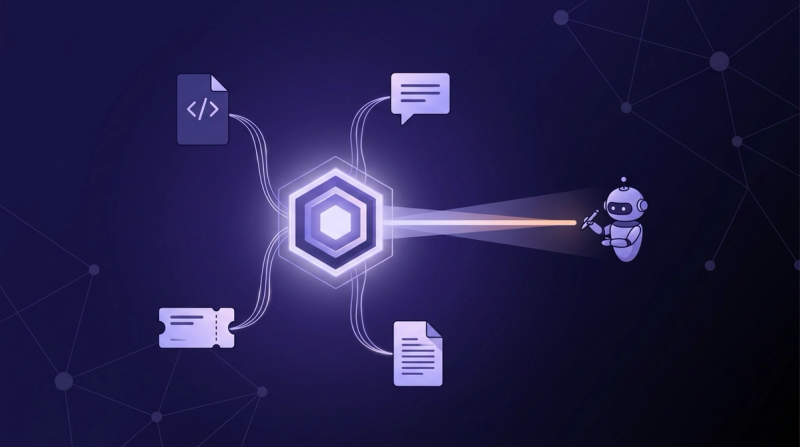
You give Cursor persistent context by connecting a context engine that reconciles your sources once and serves the relevant slice on every request, instead of rebuilding context by hand each session. Unblocked reads your code, pull requests, tickets, and team discussions, resolves the conflicts between them, and delivers a single reconciled answer to Cursor through its context layer. The window no longer resets to zero, because the understanding lives outside the session. That persistent layer is the scaffolding most teams still lack: McKinsey's 2025 State of AI found most organizations have not yet built the workflows and controls to capture value from AI at scale (McKinsey, 2025).
That curation is also what protects token yield, the useful output you get per token spent. In an Unblocked controlled test, an agent given curated context used 42% fewer tokens and made 64% fewer tool calls than the same agent dumping raw context (Unblocked, 2026). Engineers describe the shift directly. "It has everything, our repos, Notion, Slack, coding standards, and it surfaces things I wouldn't have thought to look for," says Justin McCraw, a software engineer at The Information. "GitHub Copilot doesn't have any of that organizational context." The same gap explains why Cursor guesses: without your organizational context, it has nothing to ground the answer in. Grounding tools well is also what keeps AI from amplifying a team's weak spots (DORA, 2025).
Frequently asked questions#
Is Cursor forgetting context the same as Cursor hallucinating?#
No, though one causes the other. Forgetting is mechanical context loss: the finite window summarizes or drops older details, and nothing persists between sessions. Hallucination is what the model does after the context is gone, filling the gap with public-code patterns instead of your architecture. Fix the context loss and most of the hallucination disappears with it.
Will a model with a larger context window stop Cursor from hallucinating?#
Not on its own. A larger window is more access, not more understanding, and accuracy still degrades as the window fills with irrelevant tokens. Curated, persistent context beats raw window size, because it keeps the model grounded in the parts of your codebase that actually matter for the task.
Do Cursor rules files solve context loss?#
Only partially, and temporarily. A rules file is a static document you maintain by hand, so it drifts out of date and never captures the full picture of code, tickets, and discussion. It is a useful supplement, not a substitute for context that persists and reconciles across sources.
Where to start with Cursor#
Start by separating the two problems the next time Cursor gives you a bad answer. If it re-asked for context you already gave it, that's context loss, and no amount of prompting fixes a window that resets. If it invented an architecture that looks like a generic tutorial, that's hallucination from missing grounding. Both trace to the same root: Cursor has access to your code in the moment but no persistent understanding of it.
The durable fix is to move that understanding out of the session and into a context engine that reconciles your sources once and feeds Cursor decision-grade context every time. Rules files and @file references buy you a session. Persistent, reconciled context buys you every session after it, which is the only version that scales as your codebase and your team grow.