Introducing Unblocked Routines
Put your team's context to work with Routines. Describe a task, choose when it runs, and let Unblocked handle recurring work with an understanding of your code and organization.

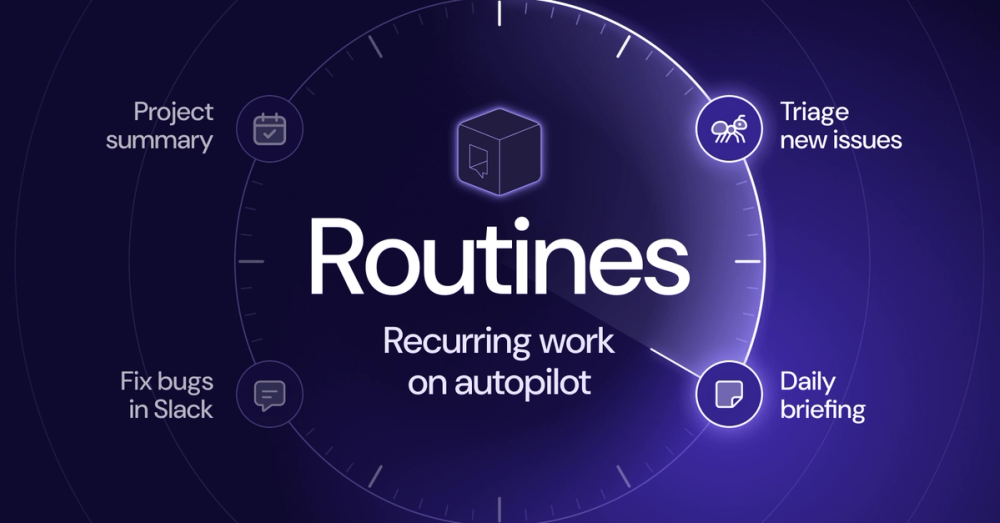
Introducing Routines, a new way to put Unblocked's understanding of your team to work on recurring tasks.
A routine is a set of plain-language instructions that runs on a schedule or in response to an event. You describe the work once, choose what starts it, and Unblocked carries it out each time.
Routines are particularly helpful when the same kind of work keeps coming up. Every new bug report needs an initial investigation. An alert in Slack needs someone to figure out what happened. A weekly project update means collecting progress and outstanding questions from across the team. The details change, but the steps are often familiar enough that you can describe them once and have a routine handle them as needed.
Unblocked Routines are powered by the Unblocked Context Engine, which connects information across your code, issues, docs, and conversations. Investigating a bug, for example, often means looking beyond the source code. A previous fix might explain the current behavior, while the discussion behind that fix reveals a constraint that still matters. The Context Engine follows those connections and determines which information still applies, giving routines the context they need to carry out the work.
We’ve been using routines internally to give new Linear issues a useful starting point, with relevant code, previous fixes, and discussions gathered before an engineer picks up the investigation. When a bot posts an alert in Slack, a routine can investigate, reply with its findings, and trigger Unblocked Code to propose a fix for review. We also use routines to prepare weekly project updates, bringing together changes and discussions across our tools so we can see what moved forward and what remains unresolved.
Setting up a Routine#
To create a routine, give it a name, choose what starts it, and describe what you want it to do in plain language. You can start with a template or write your own instructions for a task your team handles regularly.
Routines currently support three types of triggers:
- A schedule: Run at a set time, such as every weekday morning or once a week.
- A Linear issue: Run when someone creates an issue or adds a label.
- A Slack message: Run when a new message appears in a channel you choose.
Your instructions tell the routine what work to do, which sources to use, and where to send the result.
Start with a template#
Templates give you a starting point for common tasks, with instructions you can adapt to your team’s workflow. Here are three ways to use them.
Give incoming issues a useful starting point#
The Triage new issues template gathers relevant history so an engineer can start investigating with an understanding of what the team already knows.
For example, a new Linear issue reports that CSV exports fail for large projects. A routine can research the export code, related pull requests, and previous discussions, then add a comment with its findings, source links, and unanswered questions. The engineer who picks up the issue can follow those sources to understand earlier changes and the reasoning behind them.
You can run the routine for new issues, limit it to issues with a particular label, or start the research when someone adds an investigation label.
Investigate alerts and propose a fix#
The Fix bugs in Slack template turns an alert into an investigation and, when instructed, a proposed fix.
Suppose a bot posts an alert about failed webhook deliveries. A routine can research the delivery code, related changes, and previous issues, then reply in the alert’s thread with its findings and source links. It can also start an Unblocked Code task to develop a fix and open a pull request for review.
Adapt the instructions to the alerts your team receives, specifying which messages need investigation, when to propose a fix, and when to take no action.
Prepare updates across your team’s tools#
The Summarize a project template brings together progress and open questions from code, Linear issues, docs, and Slack.
Set it to run weekly and post an update in your project channel, with links to the sources behind each finding. The update gives the team a shared view of what changed and what remains unresolved without someone having to assemble it manually.
For a more frequent update, start with the Create a daily briefing template and tailor it to the changes your team wants to follow, such as recently merged pull requests or work waiting for review.
Control access and actions#
Each routine runs with its creator’s permissions. You can limit which data sources it uses and choose whether to receive notifications by email or Slack DM. When choosing where to send results, keep the audience in mind: a routine can share information with people who don’t have access to the original sources.
Admins can view, duplicate, pause, resume, or delete any team member’s routines. Only the creator can edit or run them.
Get started#
Routines are available today on all plans. Open Routines in Unblocked, choose a template, and adapt it to a recurring task your team handles. Describe the result you want, choose a trigger, and let Unblocked take it from there.