How to Refactor Legacy Code with AI Agents (2026)
A 2025 study found AI made legacy refactoring faster but no smarter. Here's the 4-step workflow that makes AI refactoring safe.

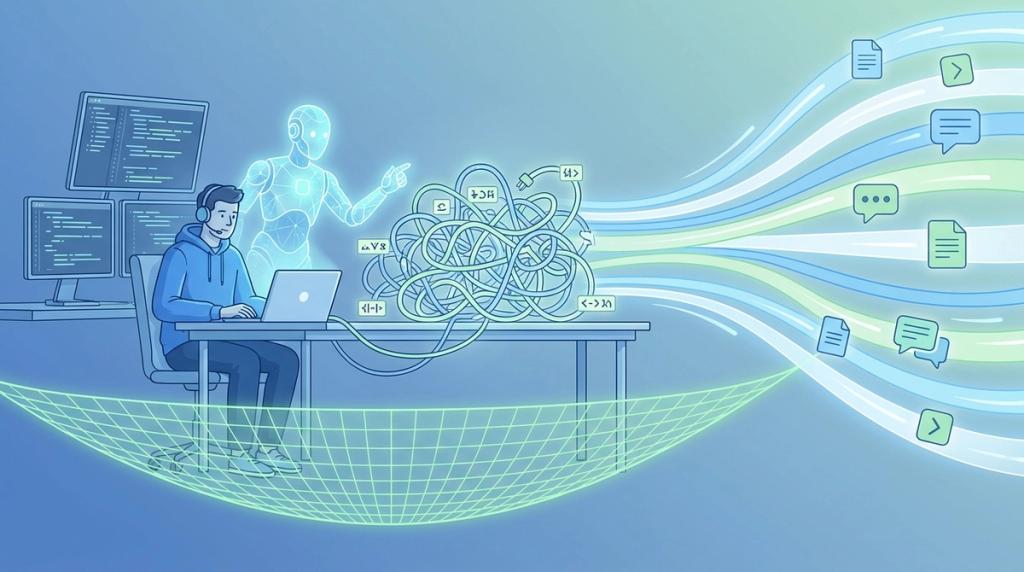
The short version: AI can accelerate refactoring legacy code, but only inside a workflow. Pin the current behavior in characterization tests, give the agent the institutional context that explains the code, refactor in small steps, and verify each one. Skip any step and you ship confident, plausible, wrong changes.
In a 2025 study of developers refactoring legacy code with an AI assistant, the assistant made them measurably faster and helped them pass more tests. It did not help them understand the code any better. And the bigger the speed gain, the worse the comprehension (arXiv 2511.02922, 2025). That gap is the entire risk of refactoring legacy code with AI agents. Speed you can see. The broken invariant you can't. Closing it takes a workflow rather than a cleverer prompt: pin the current behavior in tests, give the agent the context that explains the code, move in small verified steps, and check every one. Here is the four-step loop that makes AI refactoring safe on code you can't afford to break.
Why is refactoring legacy code so risky with AI agents?#
A 2025 arXiv study of developers working on brownfield code with an AI assistant found they finished faster and passed more tests, yet showed no measurable comprehension gain (p=0.59). Larger speed gains actually tracked with worse understanding (ρ=−0.57) (arXiv 2511.02922, 2025).
The risk is structural, not occasional. Legacy systems carry undocumented invariants: a null check that prevents a 2 a.m. page, an ordering quirk a downstream job quietly depends on. An agent optimizing for "cleaner" output has no way to see those, so it rewrites confidently and breaks them silently.
The direction of AI's influence makes this worse. GitClear's analysis of 211 million changed lines found copy/pasted code rose from 8.3% in 2021 to 12.3% in 2024, while refactored ("moved") lines fell from roughly 25% to under 10% (GitClear, 2026). AI duplicates. It rarely consolidates. On a legacy codebase, that's the opposite of what refactoring is for. So the real question isn't whether the agent is fast. It's whether anyone still understands the result.
What does "legacy code" actually mean for an AI workflow?#
Michael Feathers, in his book Working Effectively with Legacy Code, defines legacy code as code without tests, regardless of age. That reframing matters because most engineering effort already lives there. U.S. federal agencies spend roughly 80% of their IT budgets operating and maintaining existing systems (GAO-25-107795, 2025).
If "legacy" means untested, the first job isn't refactoring. It's getting the code under test so an agent's changes become verifiable. This is where the order of operations flips for AI work. You don't hand the agent a messy module and ask for elegance. You build a safety net first, then let it move.
Feathers' other key idea, the "seam," is what makes that net possible. A seam is a place you can change behavior without editing the code in place (Martin Fowler). Seams let you wrap untestable code in a harness so an agent can work against pinned behavior instead of guesswork. For a deeper map of the whole effort, see our guide to legacy code modernization. The methodology is decades old. It just happens to be exactly what AI agents need.
How do you safely refactor legacy code with AI agents?#
The same arXiv study that exposed the comprehension gap also found its antidote. Developers who actually understood their changes ran verification loops 4.7 times more often, and verification frequency predicted comprehension almost perfectly (r=0.96) (arXiv 2511.02922, 2025). The workflow below is built around that finding.
- Pin behavior with characterization tests. Have the agent generate tests that capture the code's current behavior, even behavior that looks wrong. These tests are a behavioral snapshot, so any change that alters output gets caught immediately. AI test-generation is one place agents genuinely earn their keep, because writing dozens of pinning tests is mechanical work humans hate.
- Give the agent the institutional context. The WHY behind the code, why it exists, what was tried and rejected, the team conventions, is not in the file. Pull it from PRs, tickets, and chat before the agent edits a line. A context engine like Unblocked pulls that history from pull requests, tickets, and chat, so the agent sees why the code is the way it is before it changes a line. This is the institutional context an agent needs before it refactors. We've found that the most expensive AI refactors are the ones where the agent confidently "fixes" something that was deliberate. A Clio developer put the value of context-aware catches plainly:
"I left myself an inline TODO because I wasn't sure how to resolve a bug. Unblocked came back with, 'when you converted your Objective C code to Swift, you missed this line,' and it was exactly right. That level of precision is wild."
— Lemuel Dulfo, Senior Software Developer, Clio
That is a literal legacy-migration catch, and the agent only made it because it could see context outside the current file. The same archaeology stops agents from reinventing rejected approaches.
- Refactor in small, reversible steps. One seam, one extraction at a time, then run the characterization tests after each. Don't let the agent rewrite a whole module in one shot. Anthropic reports that a team migrated roughly 10,000 lines of Scala to Java in four days with agent help, work it estimated at around ten engineer-weeks (Anthropic, 2025). Even those wins came from scoped, tested moves, not one giant rewrite.
- Verify every step. This is the discipline the data rewards. High-comprehension developers ran verification loops 4.7 times more often, and verification predicted understanding (r=0.96) (arXiv 2511.02922, 2025). The human stays in the loop on every green test, every diff. Verification is what converts speed into safety.
Why does AI-generated refactoring introduce bugs and security flaws?#
Veracode tested code from more than 100 large language models and found that 45% of AI-generated samples contained security flaws. Only 55% came back secure (Veracode, 2025). When refactoring legacy code without tests, an "almost right" change is a regression nobody catches.
Iterating on AI output can compound the problem instead of fixing it. An IEEE-ISTAS 2025 study found a 37.6% increase in critical vulnerabilities after just five rounds of LLM "refinement" (arXiv 2506.11022, 2025). The clean-up loop you trust to harden code can quietly degrade it.
Developers feel this daily. Stack Overflow's 2025 survey found 66% of developers spend more time fixing AI code that's "almost right but not quite," and 45.2% say debugging AI-generated code is more time-consuming than they expected (Stack Overflow, 2025). One vendor, CodeRabbit, reported via The Register that AI-authored PRs surfaced about 1.7 times more issues than human PRs, a figure worth treating as vendor-origin rather than settled fact (The Register, 2025). The pattern behind all of it is the same: agents stop at the first plausible fix, a trap we cover in satisfaction of search. Step 1 exists precisely to catch what they miss.
Where do AI refactoring tools fit, and what should you not trust them to do?#
Adoption is effectively universal, so the question for refactoring legacy code is no longer whether to use these tools but where. The Pragmatic Engineer reports that 95% of engineers now use AI weekly and 55% use agents (The Pragmatic Engineer, 2026). The tooling falls into three honest categories.
IDE assistants like Copilot and Cursor handle inline suggestions and mechanical edits. CLI agents like Claude Code, Codex CLI, and Aider run multi-step changes across files. Dedicated test-generation and review tools focus on coverage and catching regressions. Each fits a different slot in the four-step loop.
Trust varies more than usage. Stack Overflow found 84% of developers use or plan to use AI tools, but only 33% trust their accuracy (Stack Overflow, 2025). DORA's 2025 report describes AI as an amplifier with around 90% adoption, and notes a negative relationship between AI use and delivery stability (DORA, 2025). GitHub adds that nearly 80% of new developers use Copilot in their first week (GitHub Octoverse, 2025). Trust them to generate characterization tests, perform mechanical extractions, and summarize unfamiliar modules. Don't trust them to infer intent they can't see or preserve invariants they were never told about.
Frequently asked questions about refactoring legacy code with AI#
Can AI refactor legacy code safely?#
Yes, inside a workflow. Generate characterization tests first, supply the institutional context that explains the code, move in small steps, and verify each one. Unsupervised, agents break undocumented invariants and tend to duplicate rather than consolidate, which is the opposite of what refactoring should do.
What are characterization tests?#
Characterization tests pin down code's current, actual behavior, even behavior that looks wrong, as a behavioral snapshot. They are Feathers' core technique for legacy work. Once they're green, any agent change that alters behavior fails a test immediately, so refactoring stops being a guessing game and becomes verifiable.
Why does AI make legacy refactoring risky?#
AI moves fast without understanding the code. A 2025 study showed speed gains with no comprehension gain, and speed correlated negatively with understanding (ρ=−0.57) (arXiv 2511.02922, 2025). Meanwhile copy/paste rose and refactored lines fell, so AI tends to add duplication on legacy systems.
What's the first step to refactor legacy code with AI?#
Get the code under characterization tests before anything else. Untested legacy code gives an agent no guardrails, so its changes can't be verified. Tests turn the agent's edits into something you can check automatically, which is the precondition for every other step in the workflow.
Do AI refactoring tools introduce bugs?#
They can. Veracode found 45% of AI-generated code contained security flaws (Veracode, 2025), and iterative refinement raised critical vulnerabilities by 37.6% over five rounds. The test-and-verify loop is the guardrail. For capturing the WHY agents need, see context engineering in practice.
Your First Refactor This Week#
Pick one untested legacy module you already dread touching. Have the agent write characterization tests that pin its current behavior. Supply the context behind it, the WHY across PRs, tickets, and chat, so the agent edits with intent instead of guesswork. Then refactor a single seam and keep the tests green. That one loop teaches more about refactoring legacy code than any prompt library.
The data is consistent across every source here. Speed without comprehension is the trap, and verification is the way out. Characterization tests give you the net, and small steps keep risk reversible. The context that turns a fast refactor into a safe one is what most agents are missing. The code's invariants and history rarely live in the file. They live across your PRs, tickets, and chat, which is exactly where a context engine puts them within reach. Start small this week, verify everything, and let the tests, not the agent's confidence, tell you when you're done.