
Unblocked for Slack
Trained on the systems you use, Unblocked provides the answers you need so you can minimize disruptions and spend more time writing code.
Get StartedGet answers about your codebase in Slack
For a lot of engineering teams, Slack is a primary place where discussions about work happen.
Unblocked is a virtual member of your team that can answer questions about your codebase, just like any teammate would.
To ask a question, simply mention @Unblocked in any public channel to elicit a response.
Use Unblocked to support questions from your customers from your open source community, and make sure everyone has the same shared knowledge.
Turn a Slack thread into a pull request
Answers are only half the job. Once the thread has settled on what to do, tag @Unblocked and ask it to implement the change.
Unblocked Code reads the thread, the ticket and the code, writes the change on its own machine, then runs your build and tests to verify it.
You get back a draft pull request in the same thread. Check on a task or cancel it without leaving Slack.
Learn more about Unblocked Code →How does it work?
Unblocked uses connections to the systems used to build your application and optimized LLMs to help you understand the nuances and specifics of your codebase — how it works, why it was written, and why it works the way it does.
You can ask Unblocked questions that are specific to your application, such as:
- Where do we decide whether to store user history in cache?
- How do I run our landing page locally?
- Why do we store partial user sessions in the AuthZ service?
Get Started with Unblocked for Slack
For step by step instructions, view our Slack documentation.
Sign in and choose the repositories to connect.
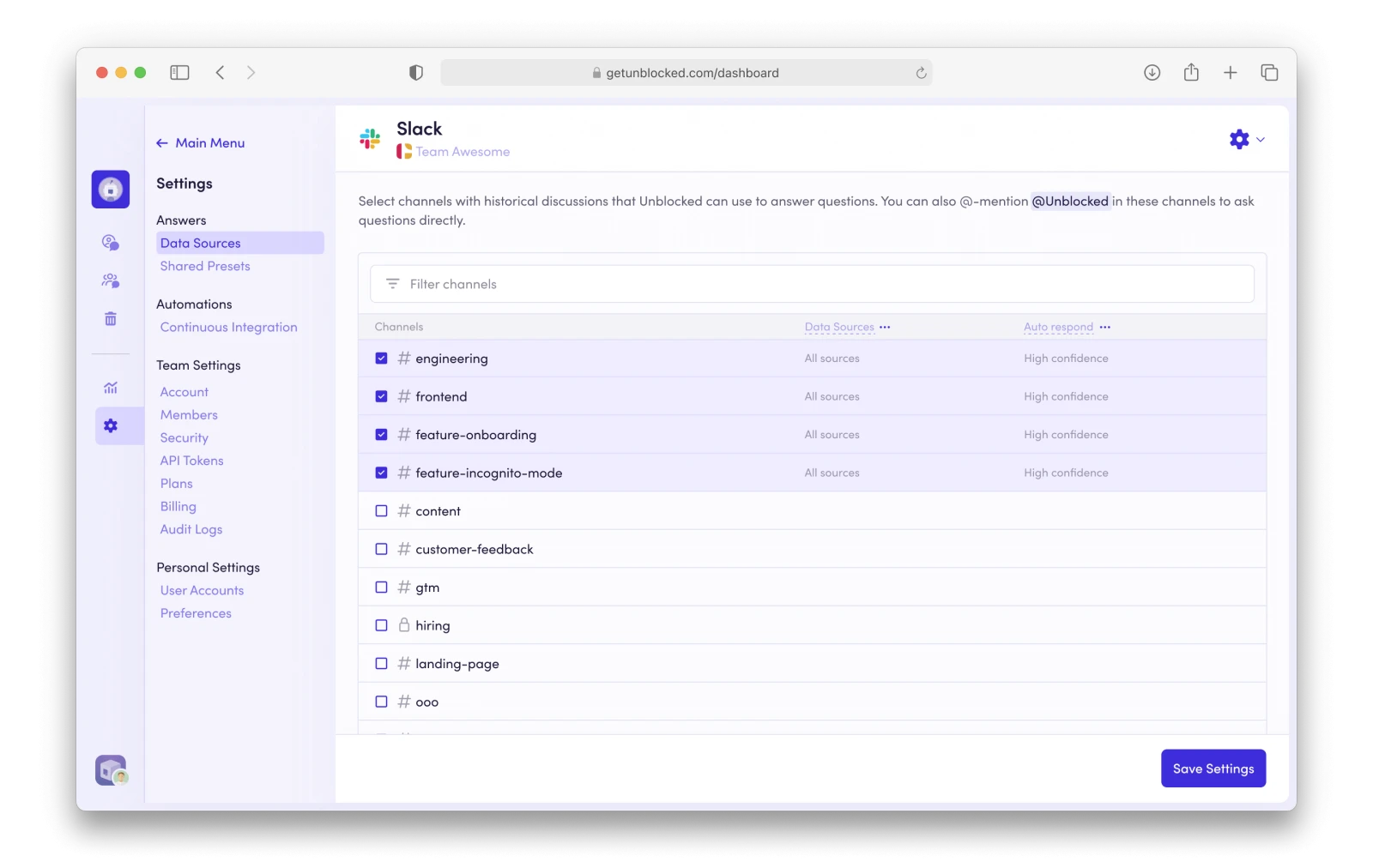
Connect Slack from the Data Sources list and allow access to your workspace.
Select the channels you want Unblocked to reference, set your answer preferences, then click “Save Settings.”
Ready to get started?
Start by signing in with your GitHub or Bitbucket account.