When to Use MCP vs CLI for AI Agent Tools (2026 Decision Guide)
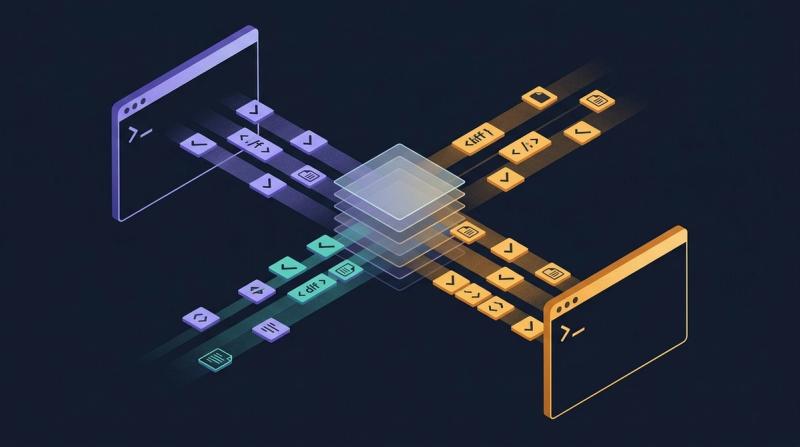
MCP and CLI aren't competitors, they're different surfaces for different agents. A practical 6-factor rubric for picking the right one (or shipping both).

Key Takeaways
• MCP and CLI aren't competitors, they're layers for different agents.
• 84% of professional developers now use AI tools (Stack Overflow, 2025), which is why the choice matters.
• Use MCP for conversational agents, session state, structured output, and token efficiency.
• Use CLI for scripts, CI jobs, unix-style composition, and one-shot calls.
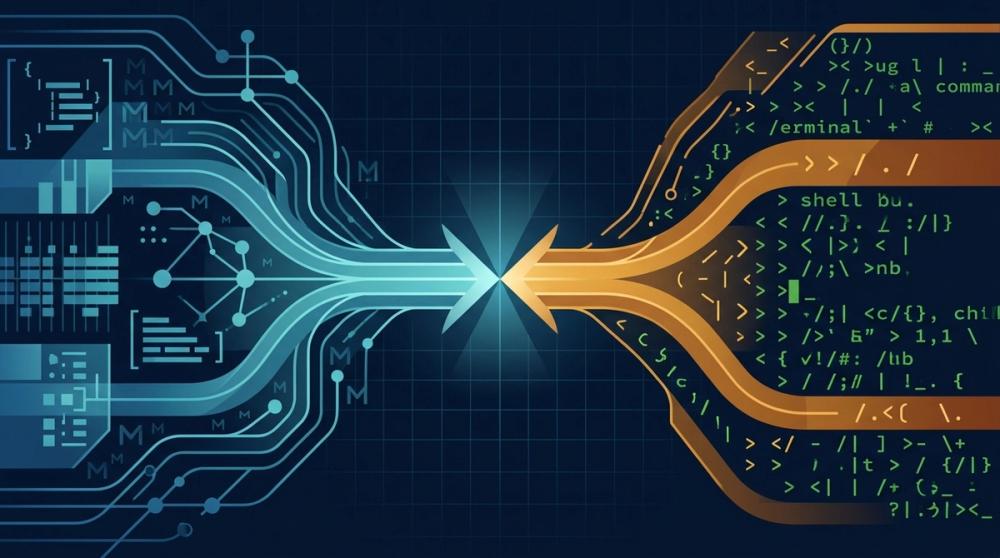
• Serious tools ship both. The right question is "which surface for which agent," not "which wins."
Stack Overflow's 2025 Developer Survey found that 84% of professional developers now use or plan to use AI tools in their workflow, up from 76% in 2024 (Stack Overflow Developer Survey, 2025). That adoption curve is why "MCP vs CLI" is suddenly a real question inside engineering teams. A year ago, you shipped a CLI and called it done. Today, the same capability often needs two front doors: one for humans and scripts at a shell prompt, and one for AI agents reasoning over a long conversation. They're not the same surface. Treating them as interchangeable is the mistake we keep watching teams make.
This guide is opinionated. We ship both an MCP server and a CLI at Unblocked, and we've had to think carefully about which one fires when. The short version: MCP wins for conversational, session-based agents that need structured output. CLI wins for scripts, CI jobs, and anything that needs to pipe into another process. Most serious tools should ship both. Here's how to decide.
What's the Difference Between MCP and CLI for AI Agents?#
The Model Context Protocol is a JSON-RPC spec for exposing tools, resources, and prompts to AI agents over a persistent connection, while a CLI is a shell-native executable that takes arguments and returns text on stdout. Anthropic's MCP documentation frames MCP as "a universal, open standard for connecting AI systems with data sources" (Model Context Protocol Specification, 2025).
A CLI is older than most of the people reading this post. You type a command, flags, and arguments; the process runs; it writes to stdout; it exits with a status code. It composes with pipes. It logs to stderr. It works in a Dockerfile. It works in a Jenkins job from 2012. It works from a Makefile your predecessor wrote. The contract is text in, text out, exit code on the way out the door.
MCP is different. An MCP client, usually an AI editor like Claude Desktop, Cursor, or Zed, spawns or connects to an MCP server and keeps the session open. The server advertises a manifest of tools with JSON schemas for arguments and returns. The agent chooses which tool to call based on the conversation. Results come back as structured content blocks the model can reason over without parsing. The MCP spec (modelcontextprotocol.io, 2025) defines capability negotiation, resource subscriptions, and streaming, all things a CLI doesn't have because it was never meant to hold a conversation.
These are not competing formats. They're different surfaces for different consumers. The MCP specification explicitly positions the protocol as complementary to existing tooling, not a replacement: servers can wrap CLIs, databases, APIs, or anything else (Model Context Protocol Specification, 2025). That complementarity is the whole point, and it's what most "MCP vs CLI" debates miss.
When Should You Reach for MCP?#
Reach for MCP when an AI agent is the primary consumer and the workflow is conversational or session-based. Anthropic's 2025 research on agent tool use found that agents with structured tool manifests made 38% fewer invocation errors than agents calling free-form shell commands (Anthropic Research, 2025). In a long session, those savings compound fast.
Conversational coding assistants#
Claude Desktop, Cursor, and Zed all speak MCP natively. If your tool needs to be discoverable from inside one of those editors, MCP isn't just preferable, it's the only surface that doesn't require the user to drop into a terminal. The agent reads your manifest, picks the right tool mid-conversation, and returns structured results the model can cite. Asking a conversational agent to shell out and parse stdout works, but it's fragile and token-heavy.
Dynamic tool discovery at runtime#
When an agent is choosing among dozens of tools, the self-describing MCP manifest matters. The agent reads tool names, descriptions, and argument schemas once, caches them, and picks the right call without you hand-writing a prompt that lists every option. The MCP spec's capability negotiation (modelcontextprotocol.io, 2025) is built exactly for this. A CLI can't tell the agent what it does without the agent running --help first, which costs tokens every turn.
Token-sensitive long contexts#
Chroma's 2025 Context Rot research documented how model accuracy drops as input context grows and contradictions enter the window (Chroma Research, 2025). MCP helps here: the tool schema is cached, responses are structured, and the agent doesn't re-parse flag syntax every call. For an agent working across a 100-turn session on a complex refactor, those savings decide whether the agent stays coherent or drifts. MCP's structured responses let the model reason over fields, not text.
Streaming and large result sets#
MCP supports streaming responses and resource subscriptions. If your tool returns a 5MB file tree or a long log, MCP can paginate and stream rather than dumping everything into the context window at once. That's protocol-native. In a CLI you'd pipe to head or write your own paging flag. Fine for humans, awkward for agents.
When Is a CLI the Better Choice?#
A CLI wins when the consumer is a script, a CI job, a human at a terminal, or any process that needs unix-style composition. GitHub's 2025 Octoverse report found that over 90% of active production CI/CD pipelines still invoke command-line tools as their primary automation primitive (GitHub Octoverse, 2025). That's not changing soon, and for good reason.
CI/CD and automation pipelines#
Your GitHub Action, Jenkins job, or GitLab pipeline is not a conversational agent. It runs once, produces an artifact or a status code, and exits. Spinning up an MCP server for a single invocation is protocol overhead for zero benefit. A CLI fits the runner's model exactly: command --flag value, exit 0 or nonzero, stdout captured. DORA's 2025 State of DevOps report emphasized that deployment pipelines benefit from deterministic, idempotent tool invocation (DORA State of DevOps, 2025), which is the CLI's home turf.
Scripted or autonomous agents#
Not every agent is conversational. Some are one-shot: "given this ticket, run these three tools, open a PR, exit." For that agent, a CLI is simpler. No session, no handshake, no manifest parsing. The agent knows what to call because you told it in the prompt or the runbook. Starting an MCP server just to make one call is overhead the agent doesn't need.
Unix-style composition#
Can you pipe an MCP tool into jq and then into awk? Not really. A CLI that emits line-oriented text slots into the unix toolkit that's been running data pipelines for five decades. When your tool is one stage in a larger shell pipeline, CLI is the right shape. The New Stack's 2025 coverage of developer tooling trends noted that shell composition remains the dominant glue pattern for mixing AI-generated steps with deterministic ones (The New Stack, 2025).
Docker, Lambda, and non-interactive environments#
MCP assumes a client keeps the connection open. In a Docker entrypoint, a Lambda invocation, or a cron job, there's no client to keep anything open. You run, you exit. A CLI is trivial to package; an MCP server inside a Lambda is an exercise in protocol contortion. Run the CLI.
How Do You Decide: The 6-Factor Rubric#
The decision reduces to six factors, and most tools score cleanly on each. Forrester's 2025 AI developer tooling report found that teams with an explicit "which surface for which agent" rubric shipped AI features 2.1x faster than teams without one (Forrester, 2025). Writing the rubric down once is cheap. Picking wrong and rewriting later is not.
The matrix below is what we use internally. Score your tool against each row, and the pattern usually makes itself obvious. If rows split evenly, that's a hint: you probably need both surfaces.
| Factor | MCP | CLI |
|---|---|---|
| Conversational, session-based agent | Best fit | Works but wasteful |
| Autonomous, scripted agent | Overhead | Best fit |
| Needs structured data (JSON) | Native | Requires parsing |
| Needs unix pipe composition | Not supported | Native |
| Dynamic tool discovery | Self-describing | Manual prompt listing |
| Token efficiency in long contexts | Cached schema | Stdout fills context |
| Works with AI editors (Cursor, Claude Desktop, Zed) | Native | Shell workaround |
| Works in CI, Docker, non-interactive | Complex | Trivial |
A quick worked example. Imagine you're building a tool that queries a production database for schema info. If the consumer is a developer in Cursor asking "what columns does the users table have?", MCP wins on every row except the bottom two. If the consumer is a nightly CI job that dumps schemas to a report, CLI wins the bottom rows and the others don't matter because the agent isn't conversational. Same capability, two surfaces, no conflict.
The rubric also clarifies edge cases. Interactive terminal agent that sometimes runs in CI? Ship both. One-shot migration script called from a conversation? Ship the CLI, wrap it in a thin MCP server. The answer almost always involves a wrapping pattern somewhere.
Why Most Serious Tools Ship Both#
The pattern isn't hypothetical. GitHub ships a CLI (gh) and an MCP server. AWS ships a CLI and is rolling out MCP integrations. Postgres has psql and MCP adapters. IDC's 2025 developer platform survey found that 71% of developer tool vendors planned to ship an MCP surface alongside existing CLI and API interfaces within 12 months (IDC, 2025). The reason is simple: the consumer set is split, and each surface is cheap to maintain once the core capability exists.
At Unblocked, we ship both deliberately. The MCP server is how Claude Desktop, Cursor, and Zed pull institutional context during a conversation, code history, PRs, Slack threads, Jira. The CLI is how engineers run the same queries from a terminal, a pre-commit hook, or a CI job that needs to block on missing context. The core reasoning layer is the same; the surfaces differ because the agents consuming them differ. We've written about why reasoning has to sit above the transport layer in why MCP servers aren't enough.
The wrapping pattern is worth naming because it's underused. An MCP server that wraps a CLI is a legitimate architecture. You get the CLI for scripts, CI, and shell composition, and the MCP server exposes the same capability to conversational agents with a proper schema on top. The MCP spec encourages this; servers are meant to be thin adapters over whatever already works (Model Context Protocol Specification, 2025). If you already have a good CLI, wrapping it is often faster than building an MCP server from scratch.
Shipping both isn't twice the work. The capability is the same. You're exposing it through two thin shells, each tuned for its consumer.
Common Mistakes Teams Make When Choosing#
Teams consistently make four mistakes when picking between MCP and CLI, and each one shows up in code review within the first month. Gartner's 2025 AI developer tooling forecast predicted that by 2027, 45% of AI integration failures would trace back to wrong-surface decisions made early in the project (Gartner, 2025). Avoid these four and you'll dodge most of that.
Building an MCP server for a one-shot tool#
If the tool is called once per run, inside a CI job, with no conversation around it, the MCP server is a waste. You're paying for session setup, capability negotiation, and a manifest that nobody queries dynamically. Ship a CLI. If an agent later needs to call it in a conversation, wrap the CLI in a five-line MCP server.
Shipping only a CLI and expecting Cursor or Claude Desktop to "just work"#
They won't. The agent can shell out, but it has to parse stdout, handle quoting, guess at flags, and re-read help text every session. Token cost goes up, error rate goes up, user experience goes down. If AI editors are a real consumer, an MCP server isn't optional, it's the contract.
Putting business logic in the transport layer#
Both MCP servers and CLIs should be thin. The capability belongs in a library or service; the surface just exposes it. When teams put retry logic, auth handling, or data joins inside the MCP server, they duplicate it when they add the CLI, and the two drift. Keep the core pure. Keep the surfaces boring.
Ignoring token cost in long sessions#
A CLI tool that dumps 10KB of text to stdout every call will wreck a conversational agent's context budget after 20 turns. Chroma's 2025 Context Rot research showed measurable accuracy degradation as context grows past model-specific thresholds (Chroma Research, 2025). If the agent is going to call your tool many times in one session, the structured, paginated responses MCP supports aren't a nice-to-have. They're the difference between an agent that stays coherent and one that starts inventing answers around turn 40.
FAQ#
Is MCP replacing CLIs?#
No. MCP and CLIs solve different problems and will continue to coexist. GitHub's 2025 Octoverse found that over 90% of production CI/CD pipelines still depend on CLI invocation as their primary automation primitive (GitHub Octoverse, 2025). MCP gives AI agents a structured, session-aware surface; CLIs give scripts, humans, and pipelines a deterministic one. Neither is going away.
Can an MCP server wrap a CLI?#
Yes, and it's a common, recommended pattern. The MCP specification explicitly positions servers as thin adapters over existing capabilities (Model Context Protocol Specification, 2025). Wrapping a working CLI in an MCP server lets you serve conversational agents with minimal duplication. You keep one source of truth for the capability and expose two surfaces tuned for different consumers.
Which is better for CI/CD pipelines?#
CLI, almost always. CI runners are non-interactive, one-shot, and process-based. MCP's session overhead, capability negotiation, and persistent connection pattern add complexity a CI job doesn't use. DORA's 2025 State of DevOps report emphasized deterministic, idempotent invocation as a pipeline quality marker (DORA State of DevOps, 2025), which is exactly the CLI's strength.
Does Unblocked use MCP or CLI?#
Both. The Unblocked MCP server fires when an engineer is in Claude Desktop, Cursor, or Zed and the agent needs institutional context during a conversation. The CLI fires from terminals, pre-commit hooks, and CI jobs that need the same answers without a chat surface. Same context engine underneath; two surfaces, each tuned to its consumer.
Conclusion#
MCP versus CLI isn't a versus. It's a rubric. Conversational agent in an AI editor, session-based workflow, structured output, token-sensitive long context, dynamic discovery: MCP. Scripts, CI, Docker, unix pipes, one-shot calls: CLI. When your tool has both kinds of consumers, which most serious developer tools do, ship both and keep the capability in a shared core library.
The teams that get this right write the rubric down once, apply it per tool, and stop relitigating the decision every sprint. The teams that get it wrong ship the wrong surface, watch adoption stall, and rebuild six months later. Write the rubric. Pick the surface. Keep both options open when consumers are mixed.
If you want to see the pattern in practice, Unblocked ships both an MCP server and a CLI against the same context engine. Try whichever fits your workflow, or both.