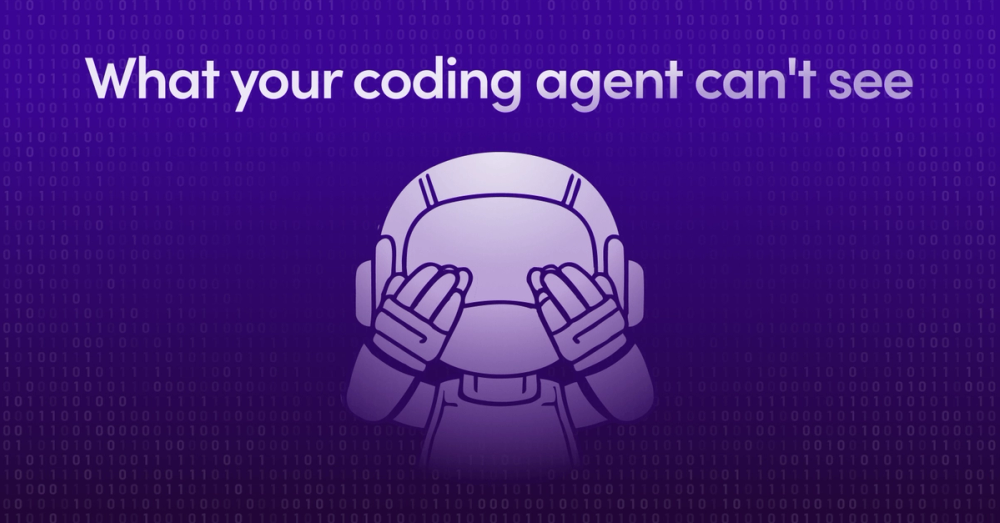
What your coding agent can't see
AI coding tools understand your code—but not the decisions behind it. The Unblocked MCP connects your agent to Slack, PRs, and tickets so it can answer "why," not just "what." Your agent finally understands your organization, not just your repo.

You give an AI coding agent your company’s context by connecting it to a context engine, not by feeding it files one at a time. Unblocked’s MCP server connects Cursor, Claude Code, Copilot, or any MCP client to the synthesized understanding across your code, PRs, Slack, tickets, and docs. The agent queries it mid-task, so it generates code that reflects decisions made outside the codebase. Setup takes about five minutes.
Last month, an engineer on our team, Martin, was investigating a bug report: users were hitting a 404. The route had worked before. Now it didn't. Classic archaeology problem: when did this disappear, and why?
He did what any developer would do. Ran git blame. Nothing useful. Git blame shows you who wrote a line, not who deleted one. He tried git log with various flags, grepped through commit messages, even asked Cursor to help trace the history. Still hunting. The context he needed wasn't in the code. It was somewhere else: a PR, a Slack thread, a decision someone made months ago.
Then he tried something different. He asked Cursor, which had the Unblocked MCP connected, "When was this route removed?"
Within seconds, he had his answer: a link to the exact PR where the route was deleted, plus the Slack thread where the team had discussed the change. The decision context that no single-source search would have connected. Turns out the removal was intentional, but the team had missed updating the links that pointed to it. Bug understood, fix obvious.
This is a small story. A few minutes saved. But it points at something bigger, a gap we keep running into between what AI coding tools can access and what developers actually need to know.
The context blind spot#
Cursor, Copilot, Claude Code. These tools have gotten remarkably good at understanding code. They can read your repository, parse your AST, and generate implementations that match your patterns. But they're operating with one eye closed.
They can't see the Slack conversation where your team decided to deprecate that API. They don't know about the incident last quarter that made everyone wary of retry logic in that service. They haven't read the RFC explaining why the architecture looks the way it does. They can't tell you that the person who wrote this code left the company two years ago, or that there's an open ticket to rewrite the whole module next quarter.
| What the agent CAN see (in the repo) | What it CAN’T see (lives elsewhere) |
|---|---|
| Source code, file structure, the AST | The Slack thread where the API was deprecated |
| Existing patterns in nearby files | The incident that made the team wary of retry logic |
| Commit messages and current diffs | The RFC explaining why the architecture looks this way |
| Who wrote a line (git blame) | Who deleted a line, and why |
| The CODEOWNERS file | The actual humans who understand the system today |
This isn't a criticism. These tools are doing exactly what they're designed to do: work with the codebase. But the codebase is only part of the story. The decisions that shaped it live elsewhere, in conversations, tickets, documents, and the context that accumulates in any organization over time.
One of our engineers put it this way: "The code tells you what. Everything else tells you why, who, and what happened last time someone tried this."
When Martin needed to understand a deletion, the code couldn’t tell him. But the PR history and Slack conversations could.
How the Unblocked MCP works#
The Model Context Protocol is an open standard for connecting AI assistants to external data sources. It's plumbing, basically. A way to give models access to context they wouldn't otherwise have.
Slack has one. So do Jira, Linear, Notion, and really most modern business SaaS applications. You can get any number of these to all feed their specific domain context to your coding agent. The problem is your agent may not know to call them, and if it does—how to wield them.
Unblocked approaches this differently. Rather than forcing you to pipe isolated domain context into your coding agent and hope it doesn’t suffer from satisfaction of search bias, our MCP server connects your coding agent to your organization's knowledge graph. The same context engine that powers our code review and Q&A, the one that pulls from Slack, Jira, Confluence, GitHub, and your codebase, becomes available to whatever tool you're already using.
Here's what makes this different from just adding another tool to your workflow: the agent can call Unblocked directly. When you ask Claude Code to implement a feature, it can query Unblocked mid-task to understand how similar features were built before, what conventions the team follows, or whether there's an existing pattern it should match. The agent doesn't just wait for you to ask the right question or feed it relevant context. It asks its own questions of Unblocked to generate better code.
Setup takes about five minutes. You install the server, authenticate with your Unblocked workspace, and point your MCP-compatible client at it. Cursor, Claude Code, VS Code with Copilot, pick your favourite.
Two ways this works#
There's the obvious use case: you ask a question, you get an answer. Martin asking "when was this route removed?" That's a developer querying organizational context through their IDE.
But the more interesting case is when the agent does it autonomously. You ask Claude Code to add a new endpoint to your API. Instead of just pattern-matching against nearby files, it can call Unblocked to check: how has this team structured similar endpoints before? Are there any relevant discussions about API conventions? Any past incidents related to this service it should know about?
The agent brings back that context and uses it to generate code that actually fits your organization. Not just syntactically correct code, but code that follows the patterns your team has established, avoids the mistakes you've already made, and reflects decisions that live outside the codebase.
This is the difference between an agent that can read your code and an agent that understands your organization. Any client that speaks MCP can now ask questions that span your organization's tribal knowledge and generate code you’ll want to commit.
Where this helps#
Martin's debugging story is one pattern. Here are a few others we've seen:
The 2am incident. Something's broken in production. You're staring at a stack trace in a service you've never touched, and the person who owns it is asleep. Instead of bouncing between Slack search, git history, and runbooks, you ask: "What do I need to know about this service?" You get a briefing that pulls from recent PRs, past incidents, and architecture docs. The kind of context that would normally require paging someone.
Security triage. A vulnerability lands in your inbox. Before you can assess the blast radius, you need to know: who owns this code? What depends on it? Has anyone touched it recently? You can get ownership information, dependency context, and recent discussions without opening five different tools.
The unfamiliar ticket. You're picking up work in a part of the codebase you've never seen. Before diving in, you ask: "What's the history here? Any gotchas?" The answer draws on PR discussions, old tickets, and team conversations. Context that exists but would take hours to piece together yourself.
Finding the right person. "Who should I talk to about the authentication flow?" This isn't a codebase question. It's an organizational question. Unblocked can tell you who's been active in relevant code, discussions, and reviews. Not just the CODEOWNERS file, but the actual humans who understand this stuff.
Smarter code generation. You ask your agent to refactor a module. It calls Unblocked to check what patterns the team prefers, whether there are any open discussions about this area, and what the original design rationale was. The code it generates reflects all of that, not just what it can infer from the files.
What we're still learning#
We’ve been dogfooding this internally, learning from our customers’ usage & feedback, and some things work better than we expected. The deletion-tracking case that Martin hit? That comes up more than we anticipated. Git’s model of history just doesn’t handle removals well, and that gap becomes more painful as codebases grow.
Other things are harder. The quality of answers depends on the richness of your organizational context. Teams with detailed PR descriptions and active Slack discussions get better results than teams where most commits say "fix bug" and decisions happen in meetings. We're working on ways to help teams see those gaps.
We're also figuring out boundaries. Sometimes the MCP returns context that's technically relevant but not actually helpful. Ranking organizational context turns out to be harder than ranking code search results, and we're constantly iterating on it.
The real payoff#
Each of these examples saves a few minutes, maybe an hour. Multiply that across a team, across weeks, and the numbers get interesting. But the real value isn't time saved. It's the questions that get asked, both by developers and by their agents.
Developers learn what’s possible. Instead of assuming they need to hunt through Slack or interrupt a colleague, they ask the agent. Sometimes it has the answer. Sometimes it points them in the right direction. Either way, they’re unblocked faster and with fewer meetings.
And the agents get smarter about your organization. Every query to Unblocked gives them context they can use to generate more accurate, more appropriate code. The agent that helped you yesterday didn't know about your team's logging conventions. Today it can look them up.
We've noticed that questions get more ambitious over time. Teams start with simple lookups, "who owns this?", and evolve toward synthesis: "what's the history of this decision?" or "what should I know before changing this?" That's the kind of context-aware thinking that used to require years of tenure. Now it's something your agent can do while you're writing your next prompt.
Getting started#
The Unblocked MCP server is available now. If you’re already using Unblocked, you can connect it to your existing workspace. If you’re not, you can book a demo and we’ll get you sorted. The context engine indexes your repos, Slack (or Teams), and whatever else you want to connect, and the MCP makes that available to your coding tools.
Setup instructions and supported clients are in the docs. Most people are up and running in under five minutes.
The goal is the same one we’ve had since we started building Unblocked: take the knowledge that makes senior engineers effective and make it accessible to everyone. The MCP is just another way to get that context, in the tools developers already use, while they’re working.
Your agent already understands your code. Now it can understand your organization and intent too.
A few questions that come up#
How do I give Cursor my company’s context?
Connect the Unblocked MCP server to Cursor. Once authenticated against your Unblocked workspace, Cursor can query your organization’s context engine mid-task — pulling from code, PRs, Slack, and tickets — instead of only reading nearby files.
How do I give Claude Code my team’s context?
Add the Unblocked MCP server to Claude Code’s MCP configuration. Claude Code can then call Unblocked autonomously while implementing a task to check team conventions, prior implementations, and relevant decisions before it writes code.
Why can’t my coding agent see our Slack or PR decisions?
Coding agents read the codebase, but the decisions that shaped it live in Slack threads, PR discussions, tickets, and docs. Those sources aren’t in the repository, so without a context engine connecting them, that history stays invisible to the agent.
What’s the difference between an MCP and a context engine?
MCP is the protocol that connects an agent to a data source. A context engine synthesizes understanding across many sources, resolves conflicts between them, and ranks the result before the agent sees it. Unblocked delivers a context engine over a single MCP server.
Is connecting individual Slack, Jira, and Notion MCP servers the same thing?
No. Piping isolated MCP servers gives the agent raw access to each silo and hopes it knows which to call. Unblocked synthesizes across all of them server-side and returns one ranked, conflict-resolved answer. Access is not understanding.
How long does setup take?
About five minutes. Install the server, authenticate with your Unblocked workspace, and point your MCP-compatible client — Cursor, Claude Code, or VS Code with Copilot — at it.
Docs and setup instructions. Questions? Reach out, we'd love to show you what it looks like with your organization's context.